
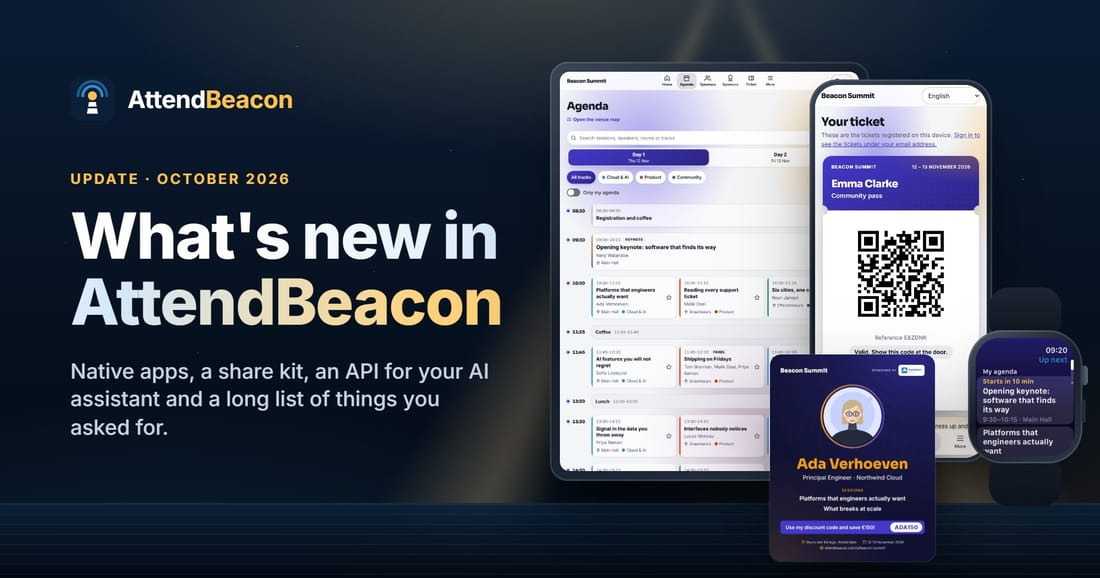
Since the launch, your feedback turned into native apps, a share kit your speakers post, hotel rooms and travel for your guests, an event budget, links to your bookkeeping and ticket platform, 38 currencies, Polish, and an API your AI assistant can use. Here's the tour.
TL;DR: Since I launched AttendBeacon, you've sent me a lot of feedback, and a lot of it is now live. One AttendBeacon app for every event, on iPhone, iPad, Apple Watch and Android, on its way to the app stores. A share kit, so your speakers and sponsors sell tickets for you. Hotel rooms, travel and expense claims for the people you bring in. Volunteers who apply on your event's own page and pick their own shifts, and a budget that tells you the result before the doors open. Connections to the systems you already use: your bookkeeping, your mailing lists, your ticket platform and your member list. Every event in its own currency, Polish as the eleventh language, and an API and MCP server so Claude, ChatGPT or Copilot can work with your events. Plus a video tour of 37 short videos, on YouTube and inside AttendBeacon itself. And events where every ticket is free are still free, whatever their size.
First: thank you
When I launched AttendBeacon on 11 October, I asked for your feedback. You sent it. You created events, clicked every button you could find, and sent me messages and screenshots. Quite a few started with "Small thing, but…". Those are often the best ones.
So thank you. Really. A lot of what's below exists because someone told me what they missed:
- "Can I print only the badges I need?" Now you can select, search and filter before you print, and reprint just the ones that failed.
- "We use fold-over colour badges." There's now a designer for exactly that.
- "Call for papers? Nobody writes papers." Fair point. It's the Call for Speakers now, everywhere.
- "Our meetup doesn't need all of that." Also fair. Now you switch off what an event doesn't use.
- "Is there an app in the store? And does it work on my iPad?" Almost, and yes. More on that below.
I said last time that this grew a lot bigger than I first planned. It's still growing. So rather than one long list, here's the tour in six parts: the app in your attendees' pockets, an event that fits, the people who help you sell it, the people you look after, the day itself, and the numbers and systems behind it.
1. In every attendee's pocket
One app for every event
In the launch post I wrote that every event gets its own app, with nothing to install from a store. That's still true. But many of you wanted a "real" app as well, so now there is one: one AttendBeacon app for every event. Attendees install it once, and every event they go to opens in it.
- Open an event with its short event code, such as BEACON26, or scan the QR code on its poster. You can print that poster for the registration desk, the coffee bar or the back of the toilet door. Don't laugh. That's where people read.
- iPhone and iPad, with a proper tablet layout instead of a stretched phone. Foldables work too, folded or open.
- Native push notifications, with the same preferences and quiet hours as before.
- Tickets go into Apple Wallet or Google Wallet, and so do a guest's hotel stay and booked journey. The ticket, the agenda and the speakers' photos work offline.
Where it stands: version 1.0.0 for iPhone, iPad and Apple Watch is on its way to the App Store, and the Android app is in testing on its way to Google Play. You don't have to wait for them, though: the web app works today. Open attendbeacon.com/e/ in any browser, type an event code, and add it to your home screen if you like.
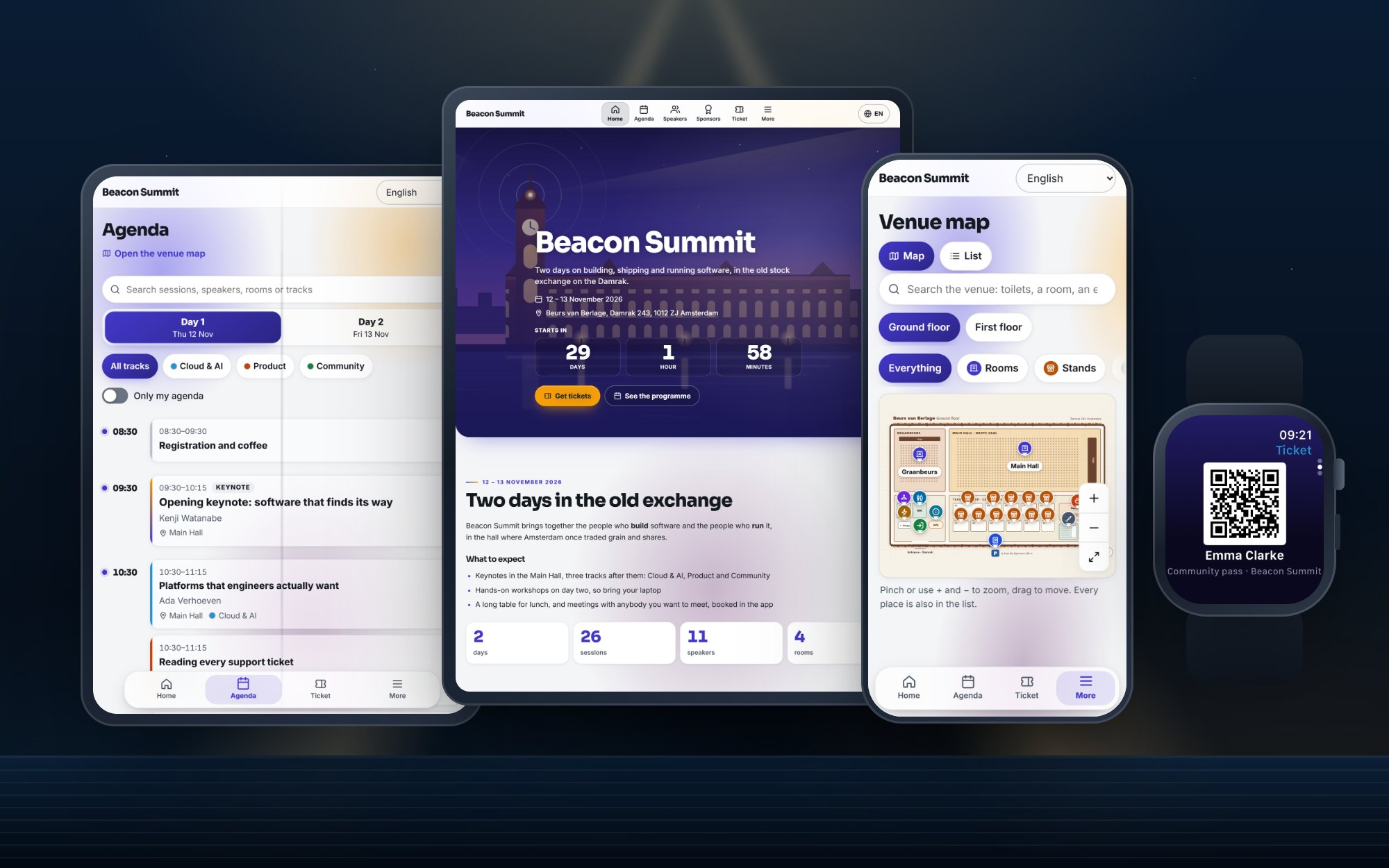
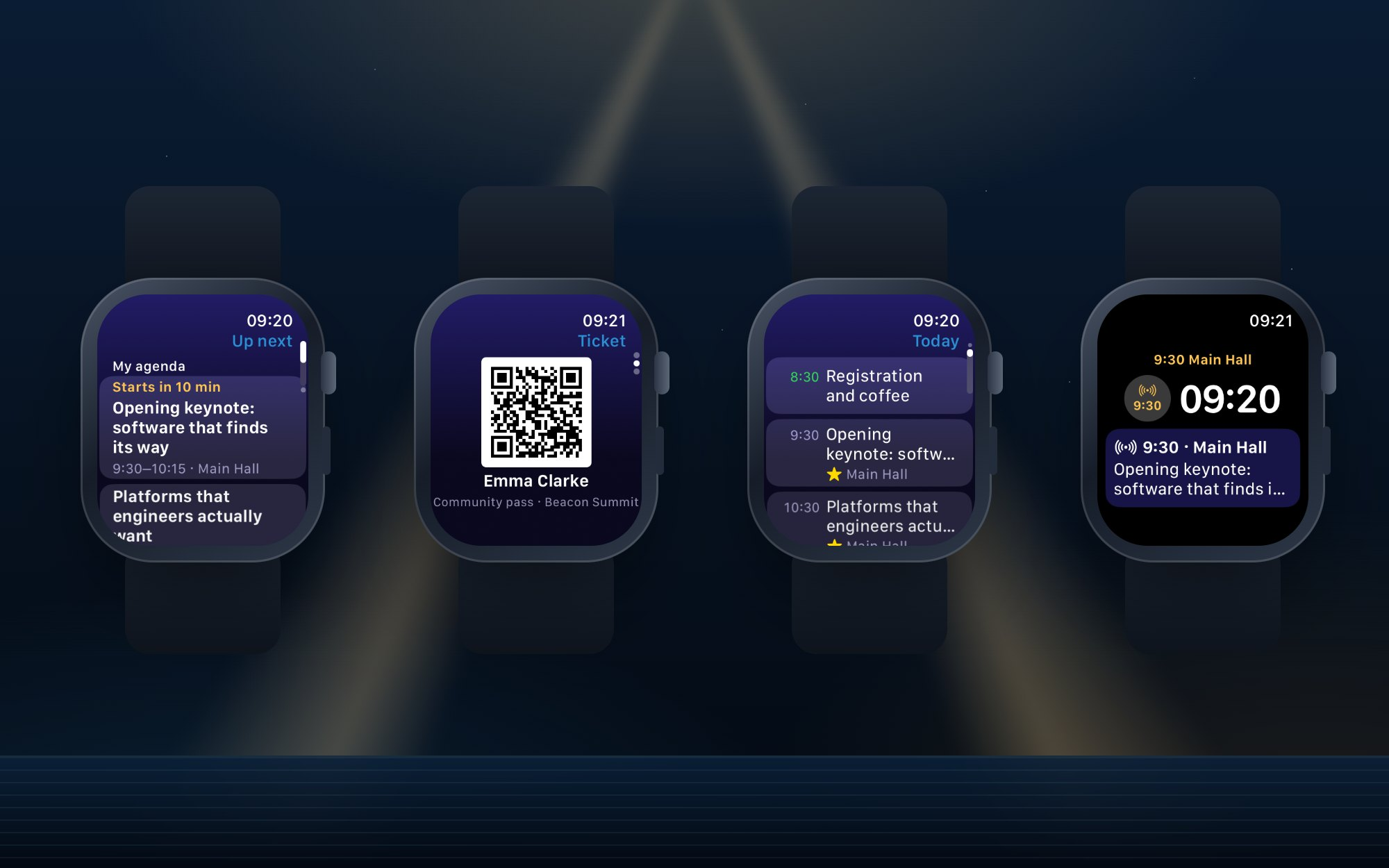
On your wrist: the Apple Watch app
This one started as a bit of fun, and turned out to be really useful.
- Up next: your saved sessions, with "Starts in 10 min" and the room.
- Your ticket's QR code at the door, as large as the screen allows. No more digging for your phone in the queue.
- Today: the day's programme, opened at what's on now.
- A complication for your watch face, with the next session's time and room.
It works from the last sync, so it's fine offline too.
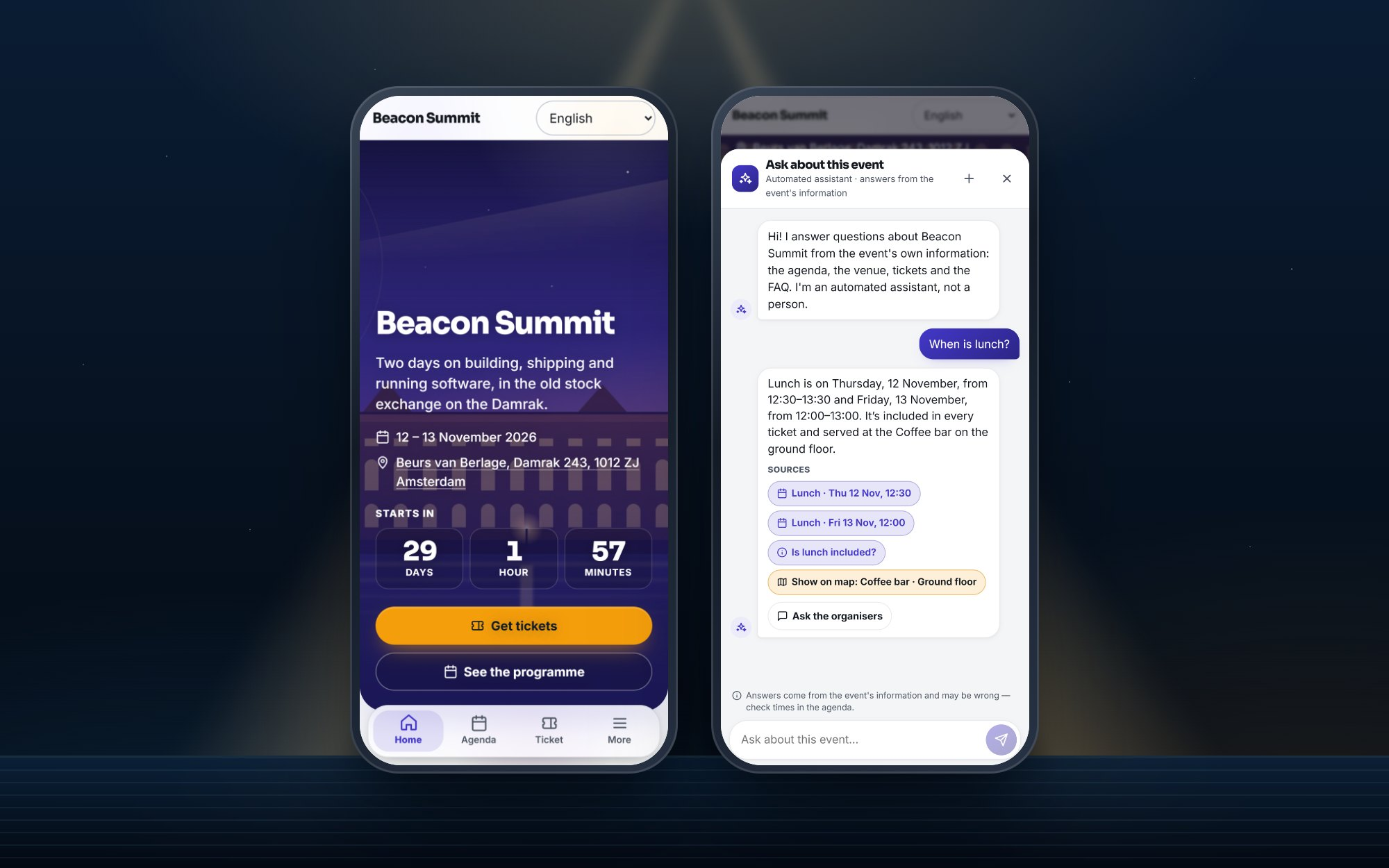
An assistant that only knows your event
"Where's the cloakroom?" "Is lunch included?" Every organiser answers these a hundred times. The event assistant answers them in the app, in the attendee's own language.
- It answers only from your event's own information: the programme, the venue, the FAQ, tickets, sponsors and the venue map.
- Every answer shows its sources. If the information doesn't say, it says so, and "Ask the organisers" sends the question to your inbox.
- You get a follow-up list of what people asked, with "Add to FAQ", so the next answer is there.
- It never talks about other attendees, and it runs on Azure OpenAI in the EU Data Zone. It's off by default; you switch it on per event, and it's rolling out to the first events now.
2. An event that fits
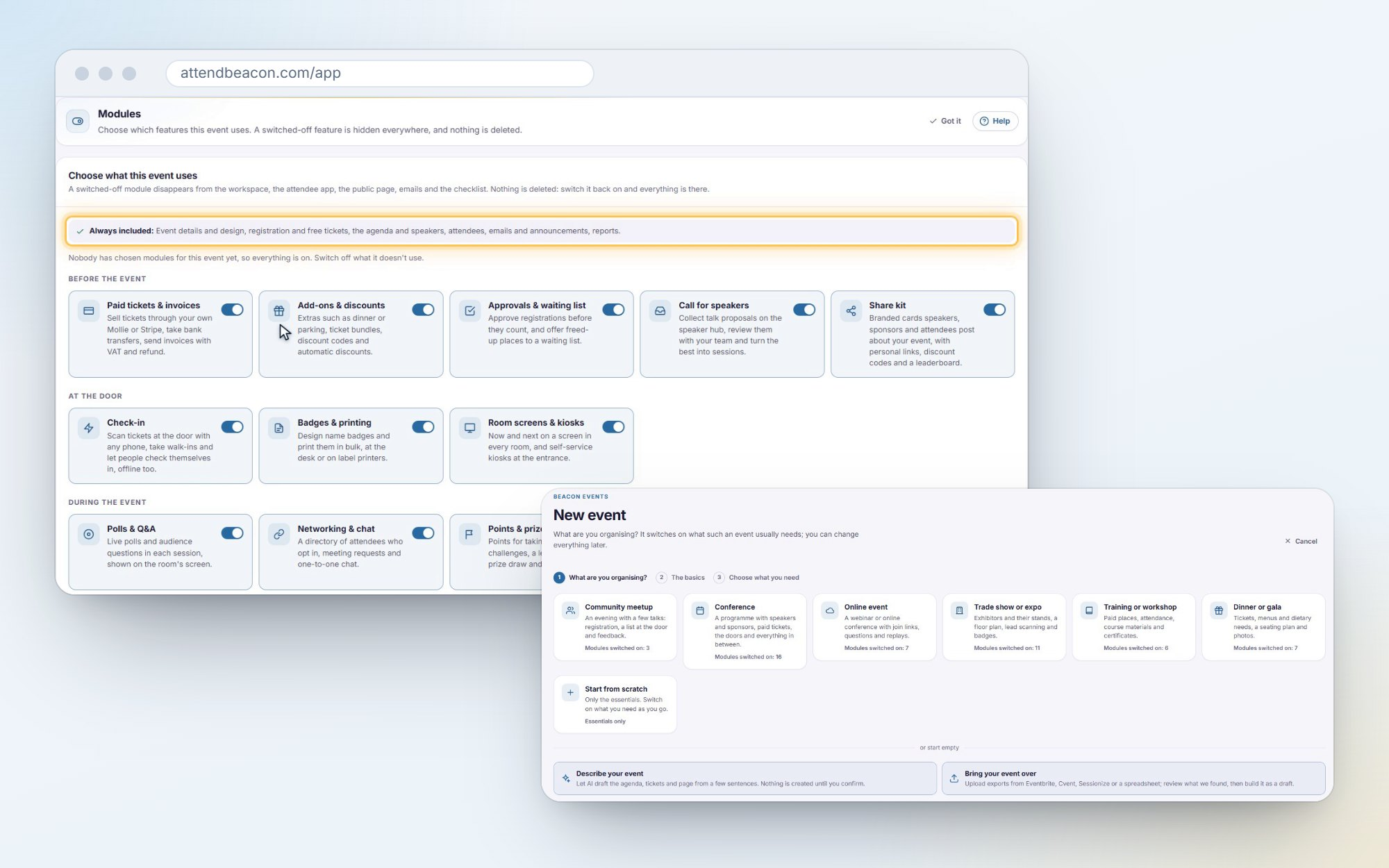
Only the features your event needs
A meetup needs less than a three-day conference. With event modules you switch features on or off per event, and what's off disappears everywhere: the workspace, the app, the event's page, the emails and the checklist.
- Start from a preset: a community meetup, a conference, an online event, a trade show, a training or a dinner. Then switch any of 28 features.
- Before you switch one off, you see what it would hide, such as "3 sponsors and 12 leads will be hidden, not deleted".
- Nothing is deleted. Switch it back on and everything is where you left it.
Your currency, your language
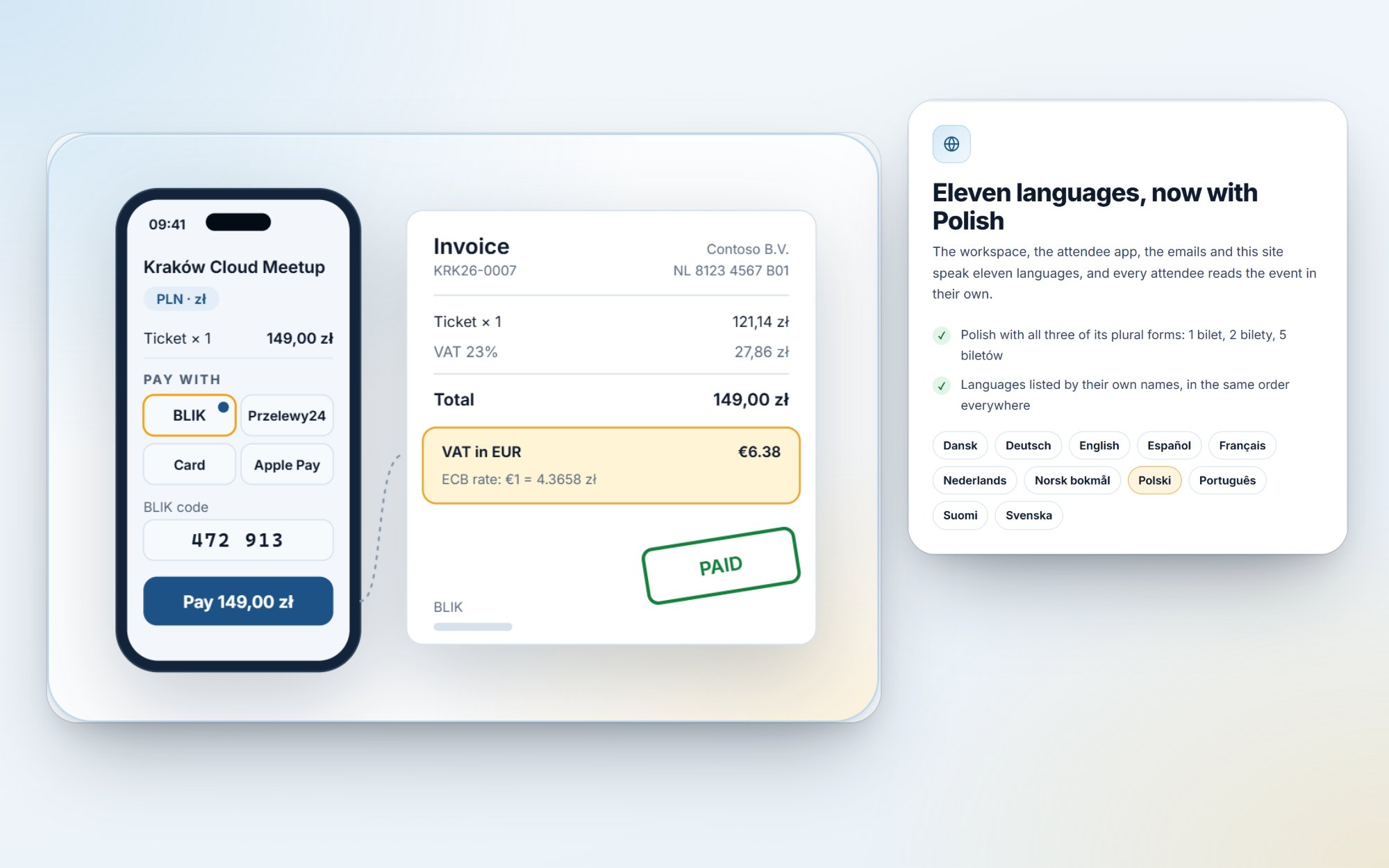
AttendBeacon started in euros. Now every event sells in its own currency: 38 of them, from the pound, the złoty and the Swiss franc to the yen and the dirham, as your own Mollie or Stripe account accepts them.
- People pay the way they do at home: BLIK and Przelewy24 in Poland, Swish in Sweden, MobilePay, Vipps and TWINT, next to iDEAL, Bancontact and cards.
- Invoices are in the event's currency, with the VAT also in euros (or your national currency) at the European Central Bank's rate, as EU rules require.
- Refunds, reports and the budget follow the same currency. Once money has come in, the currency is fixed, so nobody's order is ever repriced.
And AttendBeacon now speaks Polish, the eleventh language: in the workspace, the app, the emails and on the website. Polish has three plural forms (1 bilet, 2 bilety, 5 biletów), so every number in every language now follows its own grammar. Any attendee can use the app in any of the eleven, whatever languages the event itself is written in.
Bring your event over
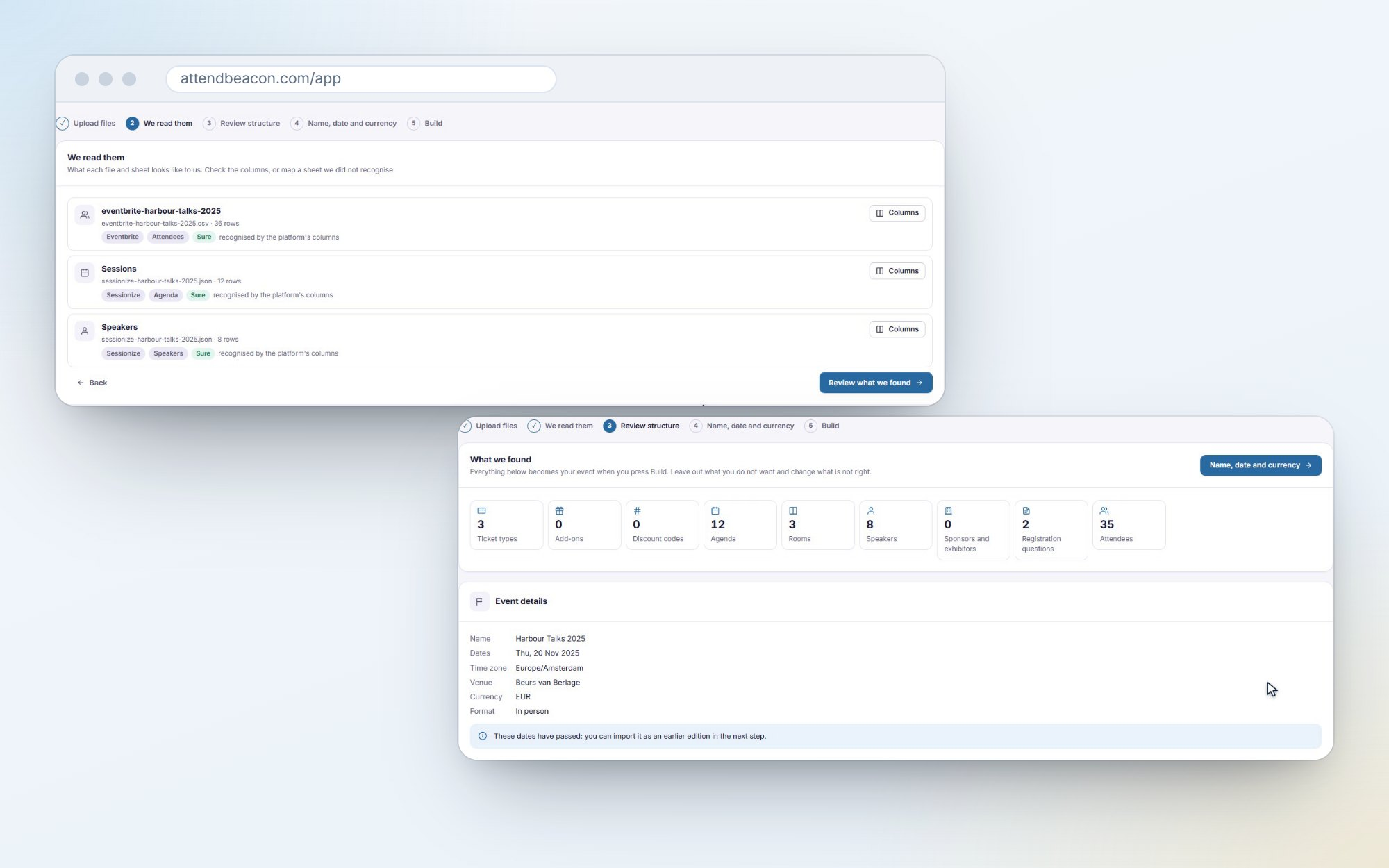
Moving from another platform? You don't have to start from scratch. Drop in the exports you already have, and AttendBeacon rebuilds the event from them: the programme, the speakers, the tickets and the people.
- It recognises exports from Eventbrite, Cvent, Sessionize, Tito, Ticket Tailor, Luma, Meetup, Swapcard and Hopin, plus your own spreadsheets and calendar files. Up to twenty files at once.
- You review everything before anything is created: sessions, ticket types, add-ons, codes, sponsors and a sample of the people. It becomes a draft, and nobody is emailed.
- A sheet nothing recognises is yours to map. Or the AI's, from its headers and five masked rows, and only when you ask.
- Last year's edition comes along as history: closed, free and outside the 1,000 limit, so your reports and budget can compare against it.
The files and the list of people are deleted as soon as the event is built.
3. Let your people sell it for you
The share kit
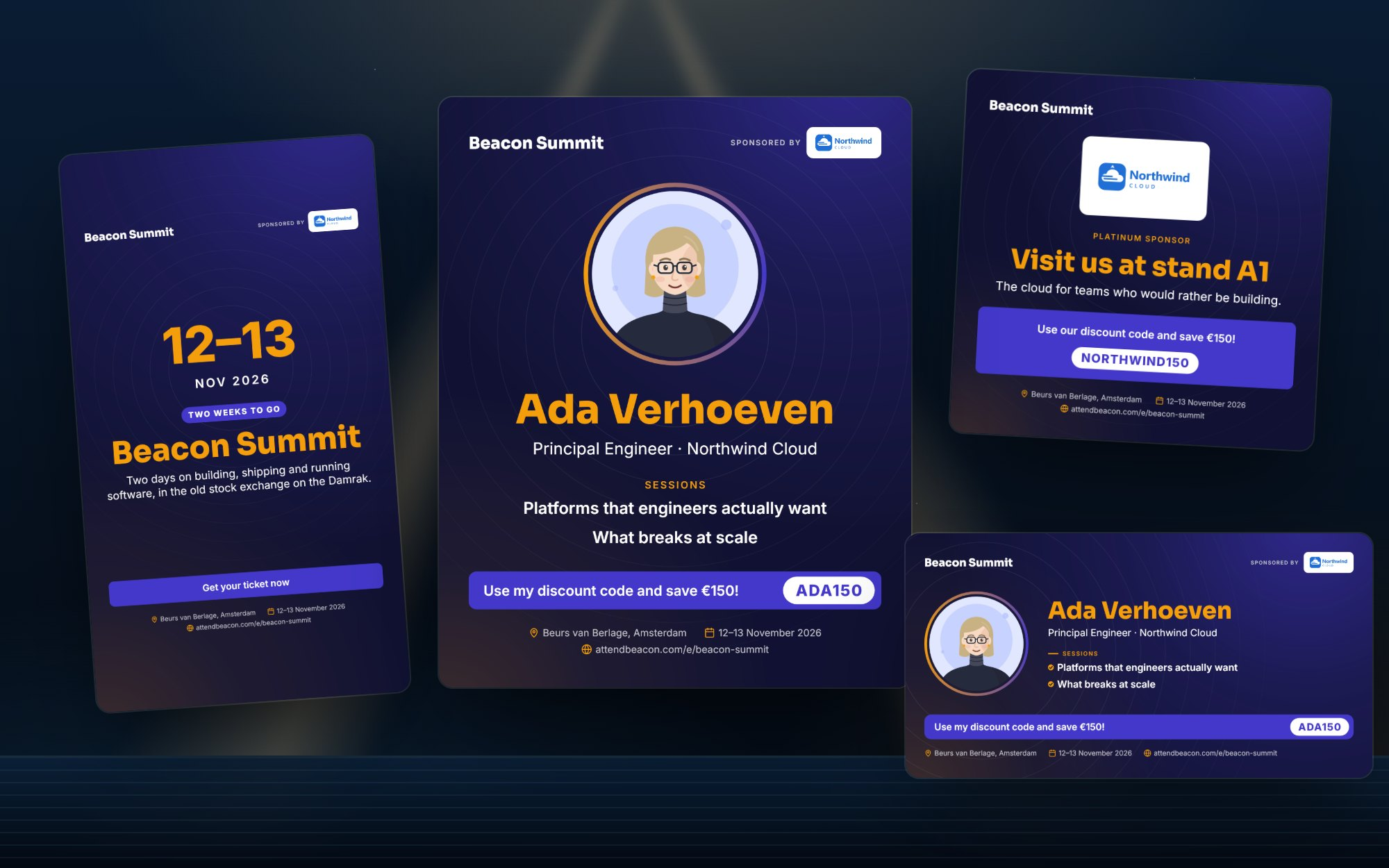
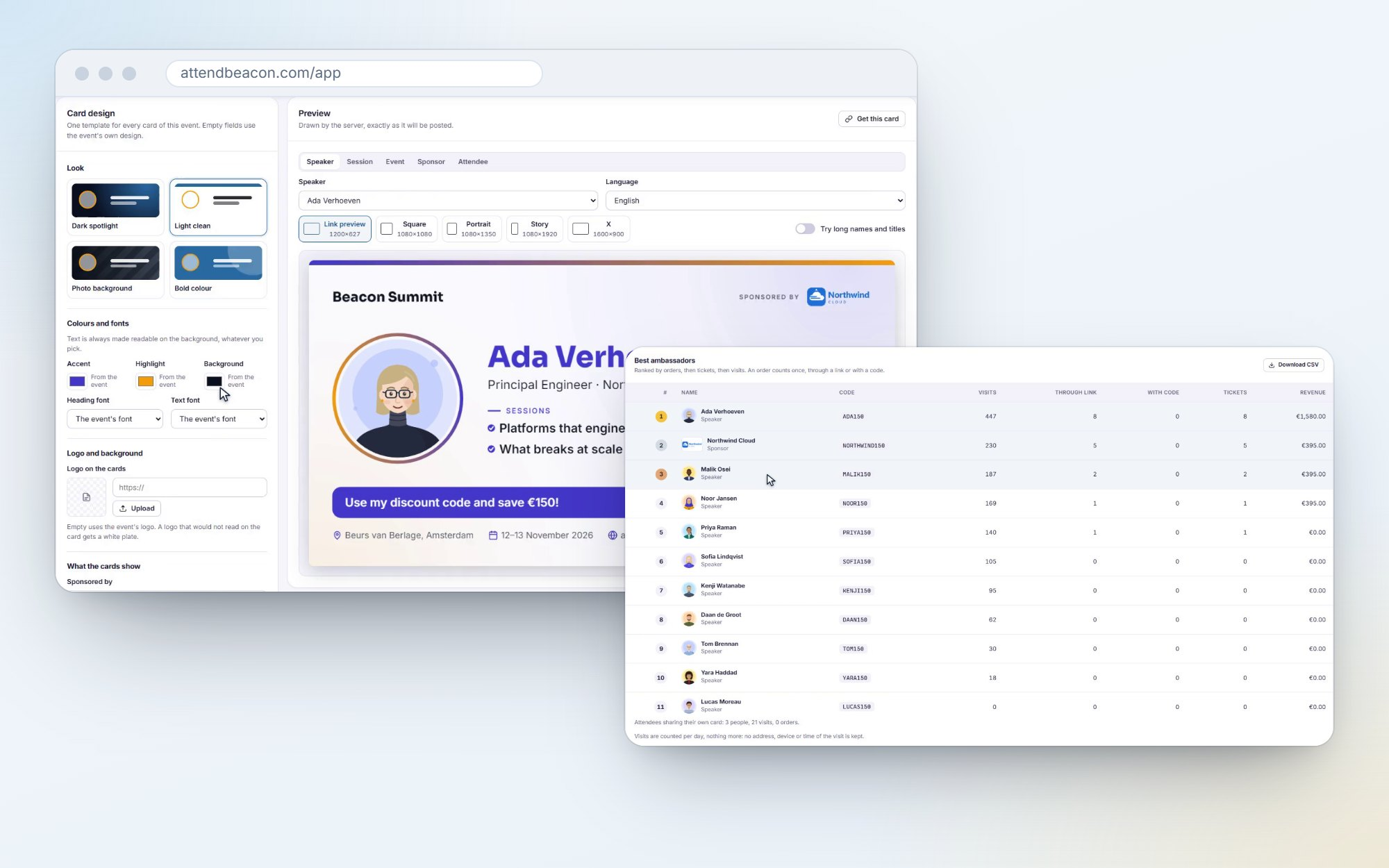
Your speakers, sponsors and attendees are your best marketing. They just need something good to post. The share kit gives each of them a card in your event's branding:
- Cards for speakers, sessions, sponsors, the countdown and attendees who want to say "I'm attending", drawn in your colours and fonts.
- Every card in five sizes: link previews and LinkedIn, square, portrait, stories and X. In the person's own language.
- A personal link and a discount code for each speaker and sponsor, made from their name, such as ADA150.
- A post written for them, with your hashtags, ready to copy, share from the phone, or post on LinkedIn straight from their portal.
- A leaderboard of visits, orders and revenue per person, so you can see who brought people in. Without tracking anybody's device: visits are counted per day, nothing more.
A speaker's photo and name only go on a card with their consent.
A real home for your speakers
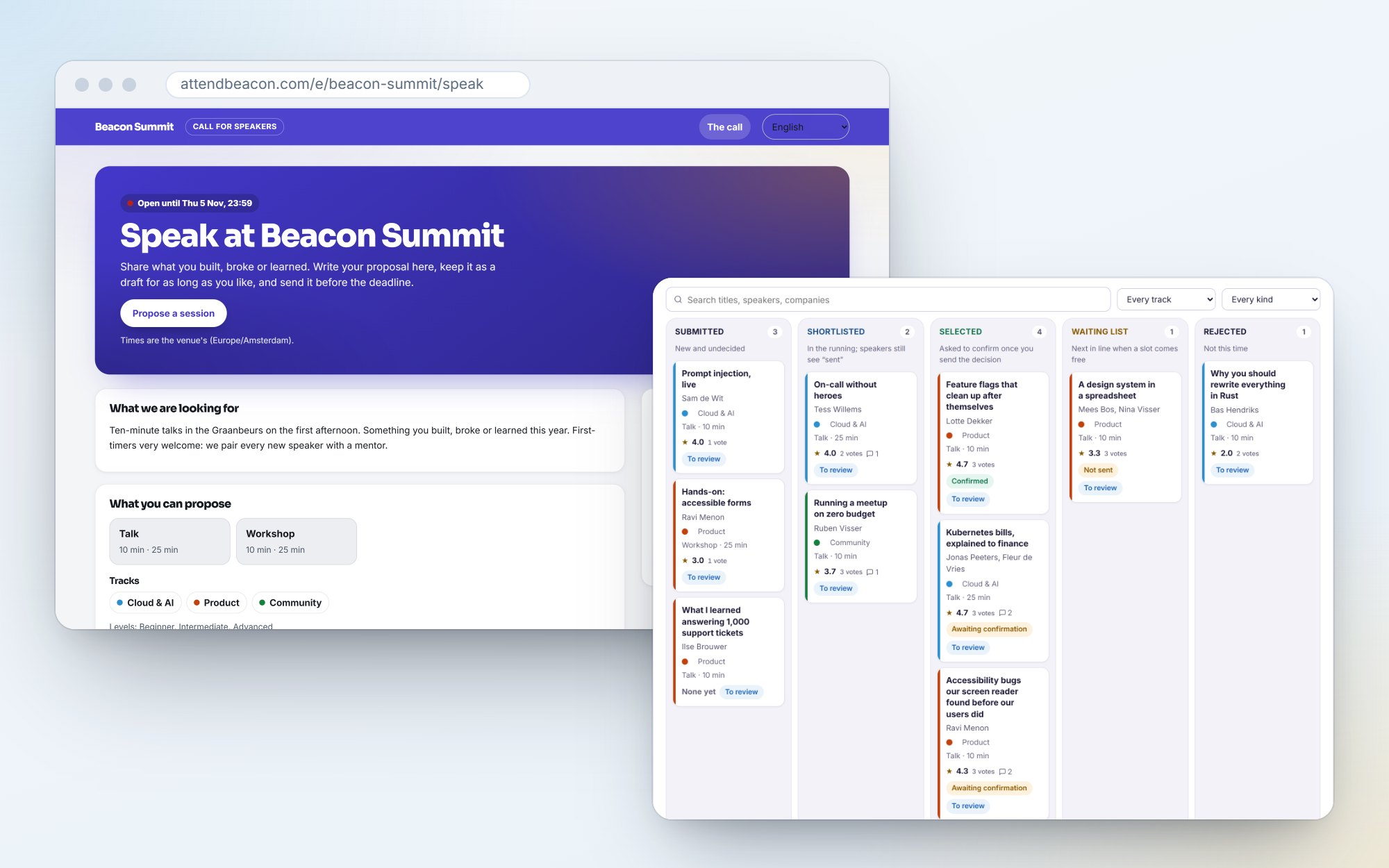
The Call for Speakers now has its own page, in your event's branding.
- Speakers write their proposal with a live preview of the agenda card. Drafts save as they type, and they can import a previous talk, also from Sessionize.
- Your team reviews on a selection board: submitted, shortlisted, selected, waiting list, rejected. Votes and comments stay internal.
- "You're selected" emails ask each speaker to confirm by a date, and to answer your questions: hotel nights, T-shirt size, dietary needs, A/V.
- A decline suggests the next one on the waiting list.
Something new to sell to sponsors
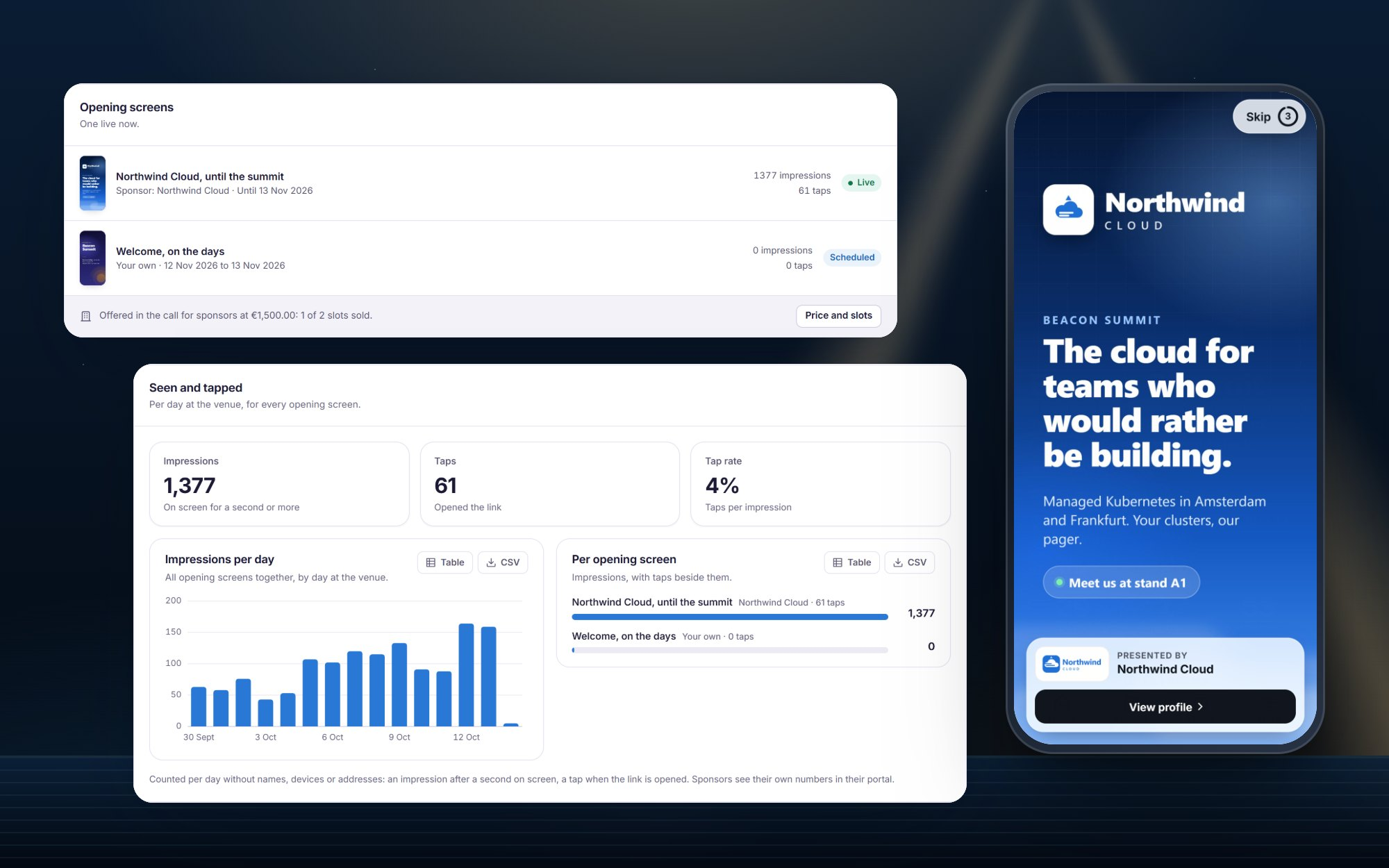
Sponsors always ask how they can be more visible. Now there's a new answer: a full-screen opening screen when attendees open the event in the app.
- Your own welcome, or a sponsor's artwork with "Presented by" and a link. Two to five seconds, with a Skip button.
- Sell it in your call for sponsors as an add-on with a price and a number of slots, or include it in a package. Sponsors upload their own artwork in their portal, and you approve it.
- Impressions and taps per day, without names. For you, and for the sponsor.
The call for sponsors itself is new too: a public page with your packages and an application form. More sponsor money means cheaper tickets. Or free ones.
4. Looking after the people you bring in
This is the part of running an event that usually lives in a spreadsheet nobody else can find. Speakers, VIPs, crew and sponsors' guests need a bed, a journey, a meal and a seat. Now that's all in one place.
Hotel rooms
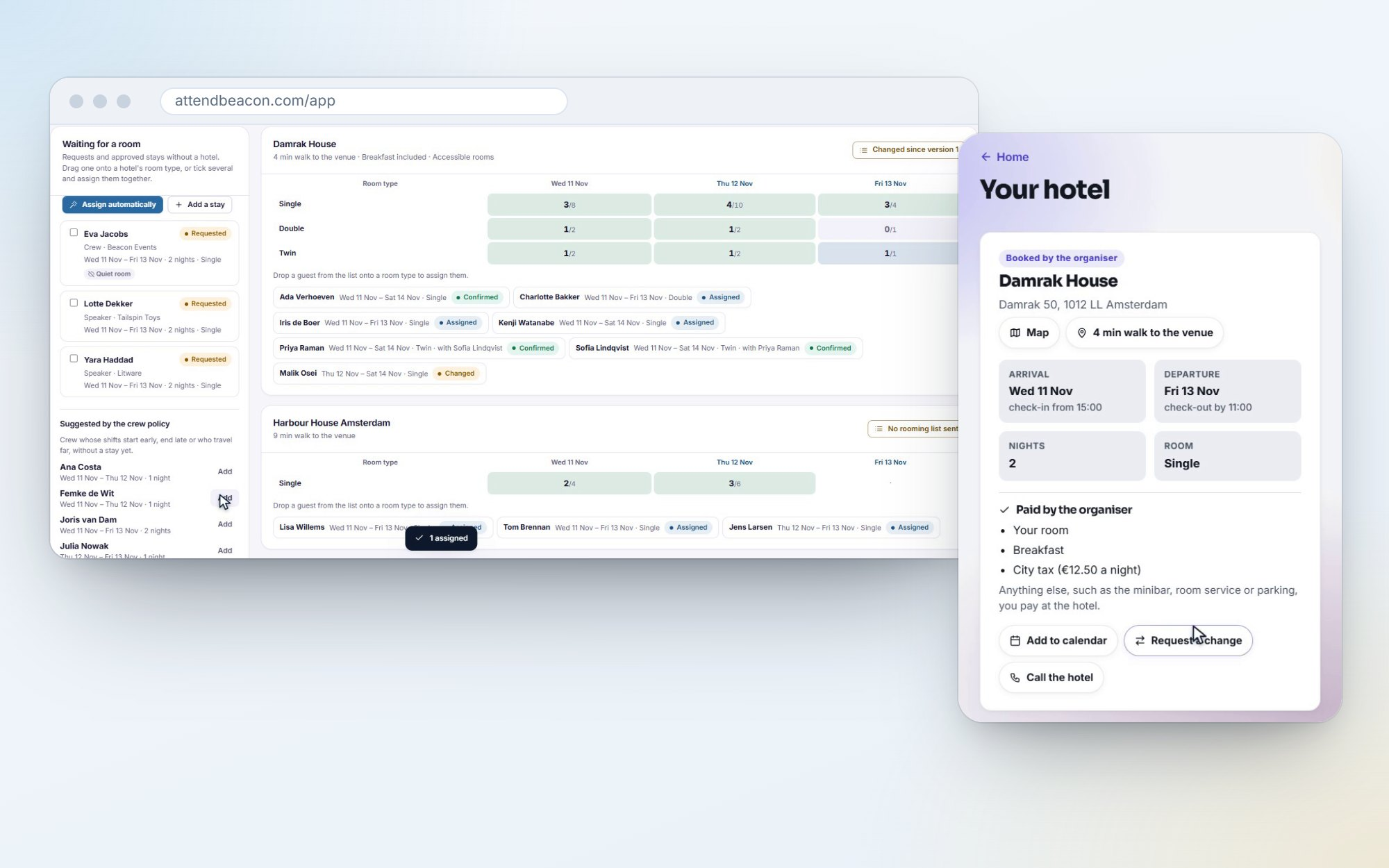
- Hotels and room allotments, with their release dates, and a policy per role: how many nights a speaker gets, and which crew get a room because they start early or travel far.
- A planning board: drag a guest onto a room type, or assign them all automatically. Warnings when rooms are left empty or a deadline is close.
- Rooming lists for the hotel, every version kept, with what changed since the last one.
- Guests see their hotel in the app, add it to Apple Wallet or Google Wallet, and ask for a change. Nothing changes until you approve it.
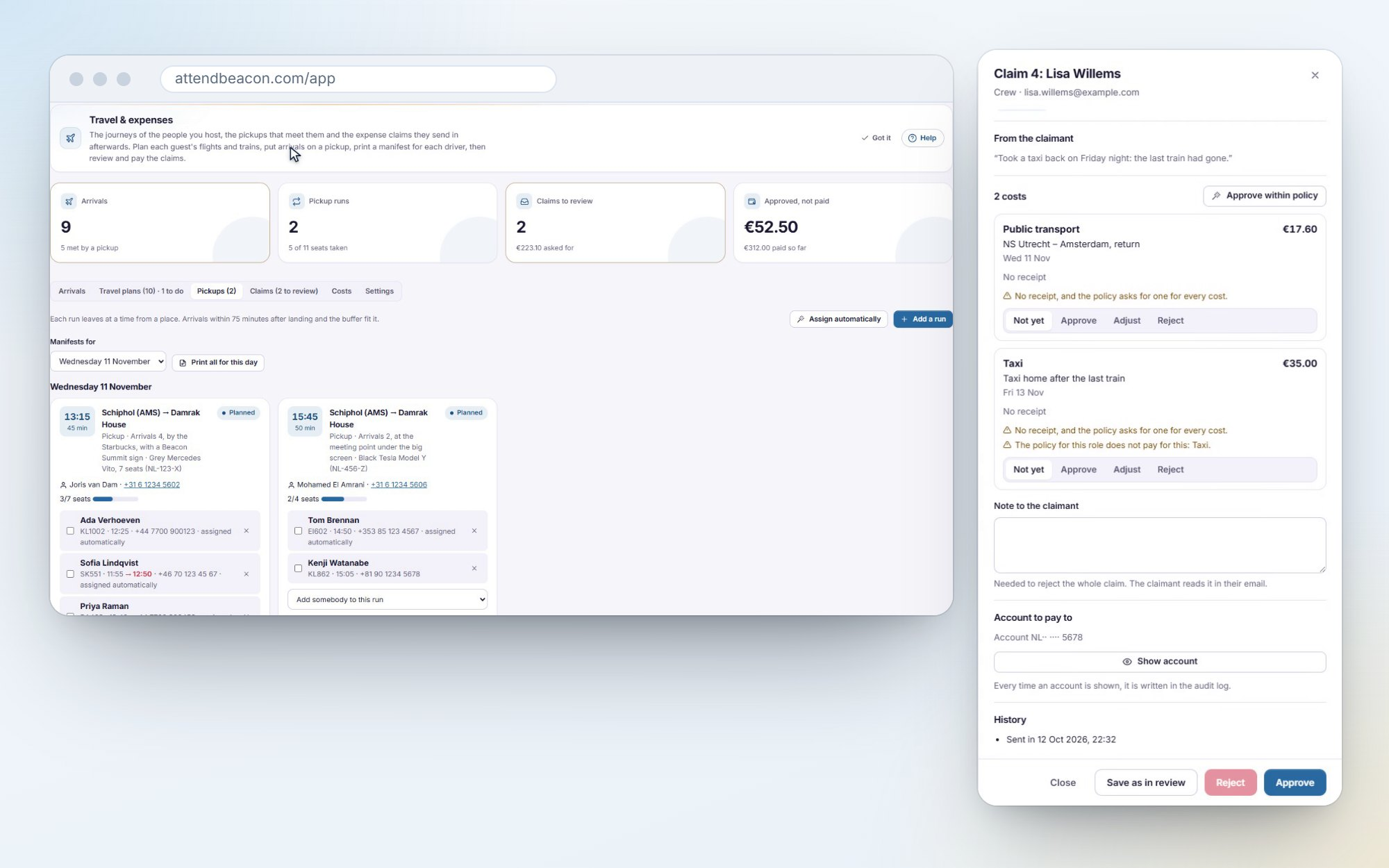
Travel, pickups and expense claims
- Journeys by plane, train, coach or car, each on its own clock across time zones, with who books what.
- Arrivals hour by hour and pickups matched to them, with seats and a driver, a manifest per run, and a warning when a delay means somebody misses theirs.
- Expense claims with a receipt photo per line, checked against your policy for each role, and approved, adjusted or rejected line by line.
- Approved claims are paid in one SEPA file for your bank. Bank details are encrypted and forgotten after payment.
Volunteers who pick their own shifts
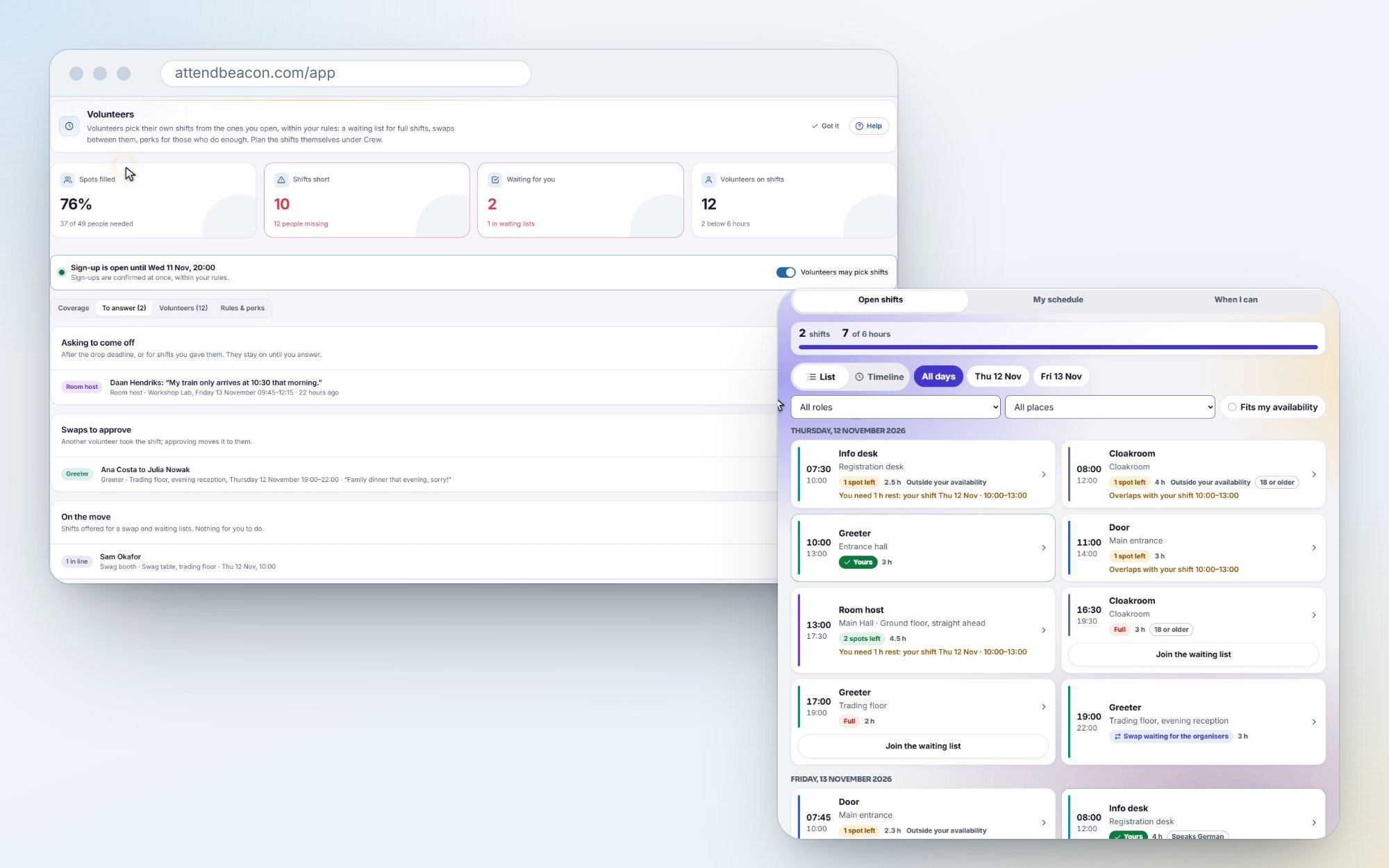
First you need volunteers. Every event can now have its own volunteer page, in your event's colours and the visitor's own language, where anybody can apply. They see the roles and the shifts to come before they do. Share the link, or print a poster with its QR code for the coffee bar. You choose the roles, a deadline, a limit and your questions. Accept somebody and they're crew, with a ticket. And once the team is full, new applicants join a waiting list.
Then open the shifts, set the rules, and let volunteers sign up for what suits them. The rota fills itself.
- Your rules, in plain words: no overlaps, rest between shifts, most hours a day, the right skills or languages.
- A waiting list that offers a freed spot to the first in line, and swaps between volunteers, with your approval if you want it.
- Perks earned by shifts, such as a T-shirt or a free ticket, issued automatically.
- You only step in where there's a gap or a question.
Catering and seating plans
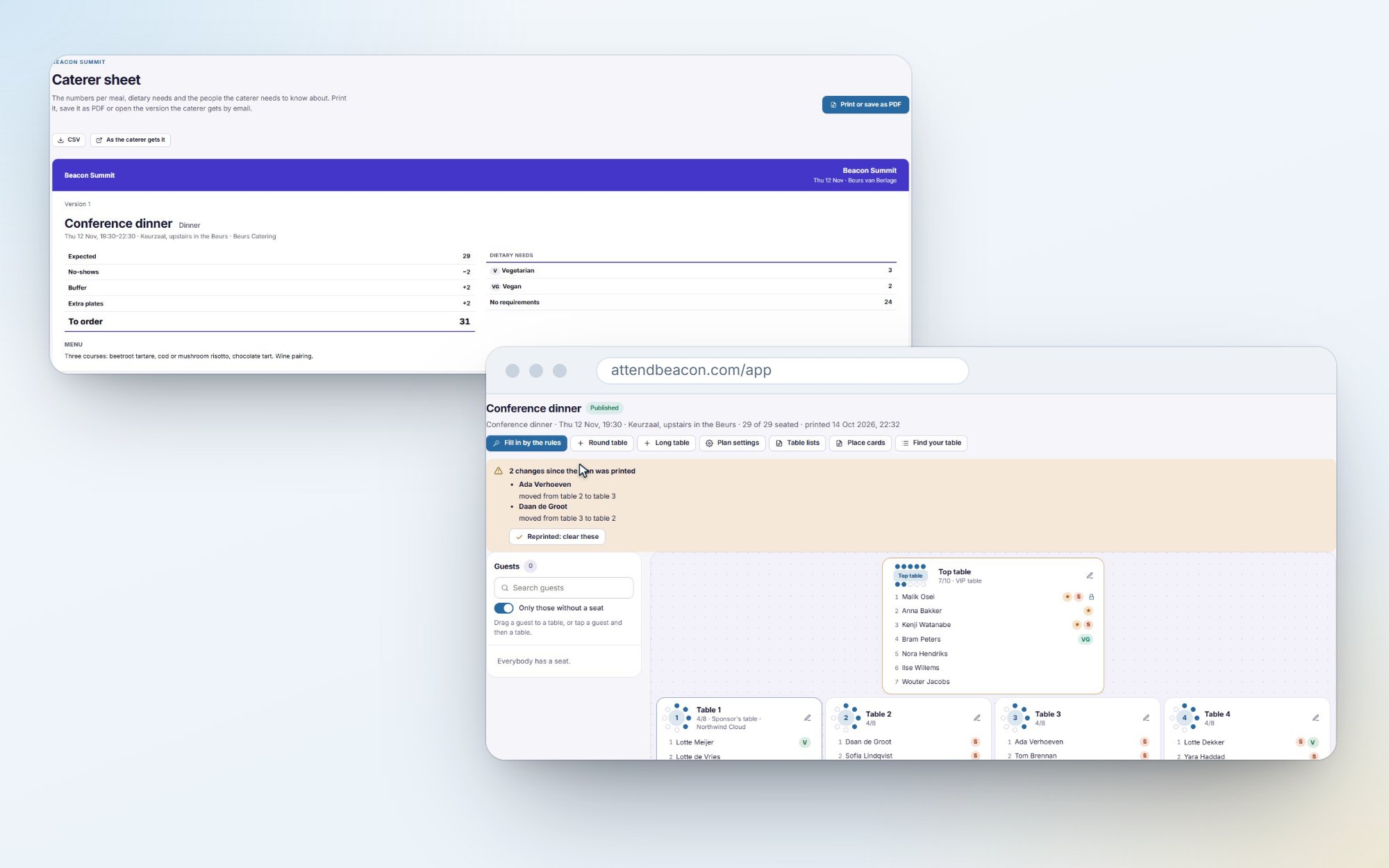
- Meals with their dietary counts, no-shows and a buffer, and a sheet for the caterer, sent in the caterer's own language.
- Seating plans for the dinner or the gala: drag guests to tables or let your rules seat them, print table lists and place cards, and publish the plan so guests find their table in the app.
5. On the day, and after
Badges: pick, print, fold
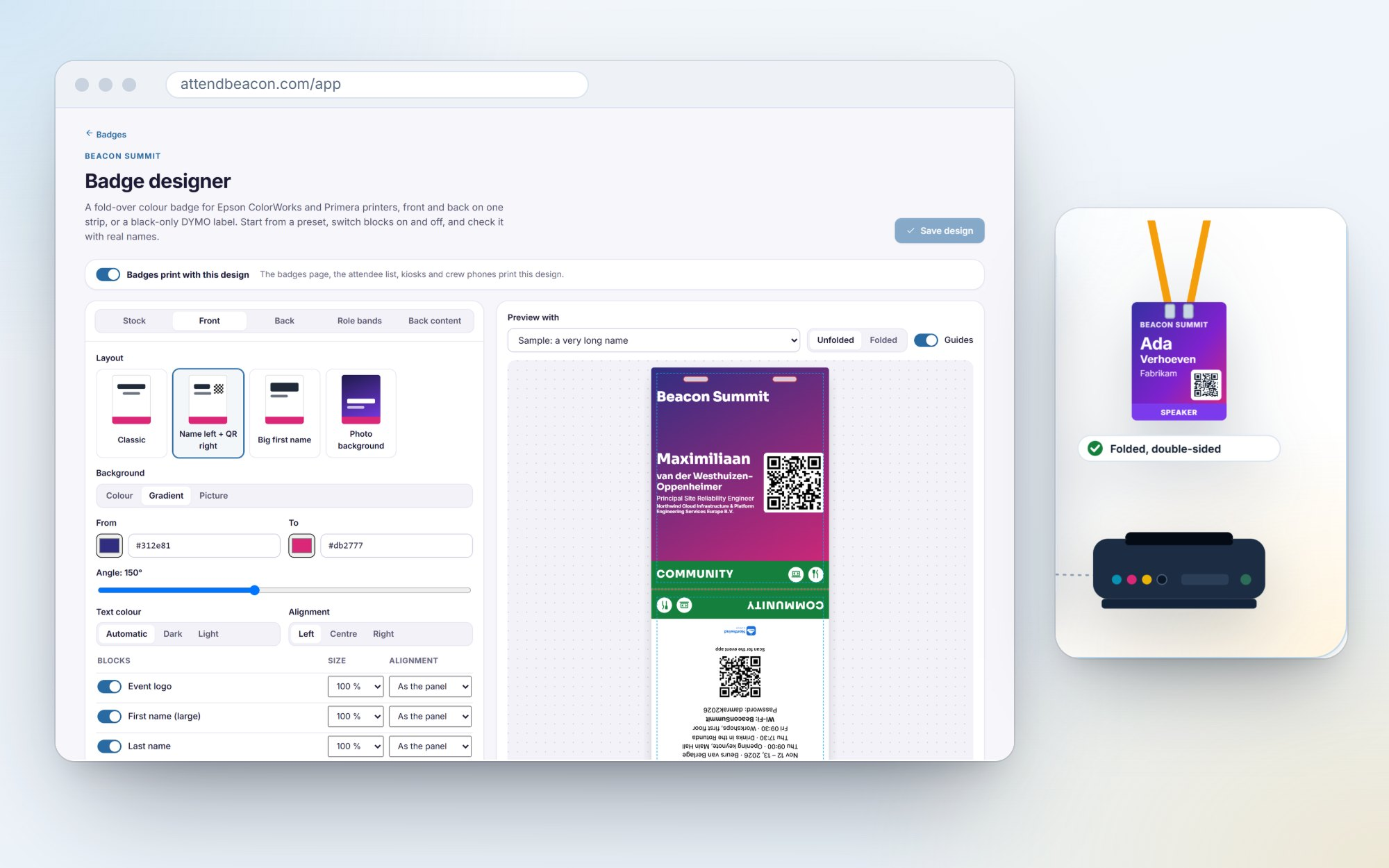
- Choose which badges to print: select, search, filter by ticket type or "not printed yet", and reprint just the ones that failed.
- A colour fold-over badge designer: front and back on one strip, a role band per ticket type (speakers in purple, crew in orange), checked with your longest real names. For Epson ColorWorks and Primera printers, and DYMO labels.
- Zebra and Brother label printers through a small print agent, Bluetooth printers for the crew, and hardware scanners from Zebra and Honeywell.
Got one of these printers at your next event? I'd love to hear how it does.
Communities, certificates and session content
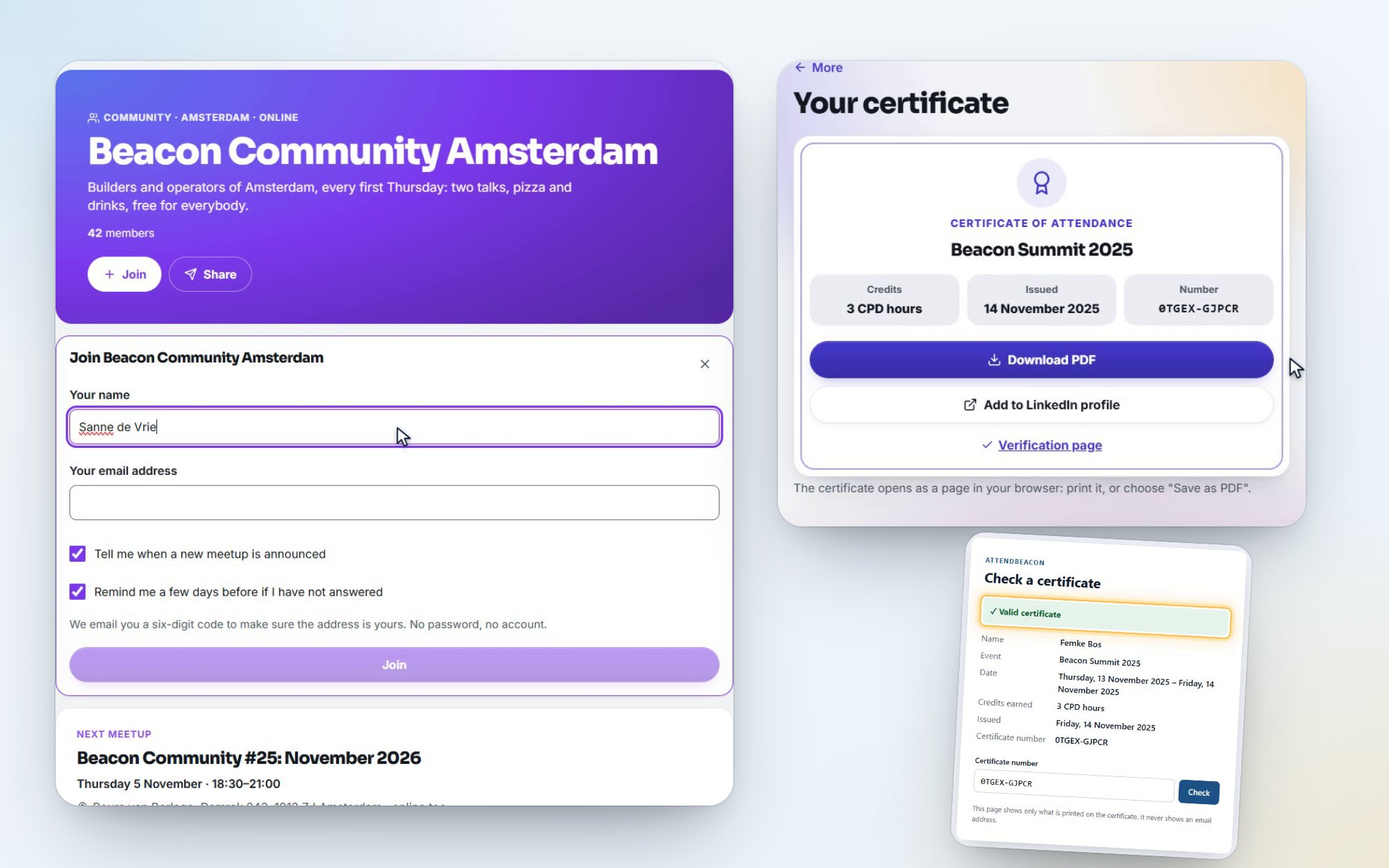
Not every event is a one-off. Many of you run a user group with a meetup every month, so now AttendBeacon has communities:
- A community page members join with their email address. No password, no account.
- Recurring meetups that publish themselves: "every first Thursday", each one copied from a template with its agenda, tickets and waiting list. Skip or move a date when you need to.
- Members hear of each new meetup in their own language, with a reminder if they haven't answered. And you see members over time and who keeps coming back.
And after the event:
- Certificates of attendance with credits, such as CPD hours, a public page to verify them, and a link to add them to LinkedIn.
- Slides and resources from each speaker in one place in the app, shared only with the speaker's consent.
- Session replays: YouTube, Vimeo, Stream, Teams, Zoom or any link, and you decide who may watch and until when.
6. The numbers, and your other systems
The event budget
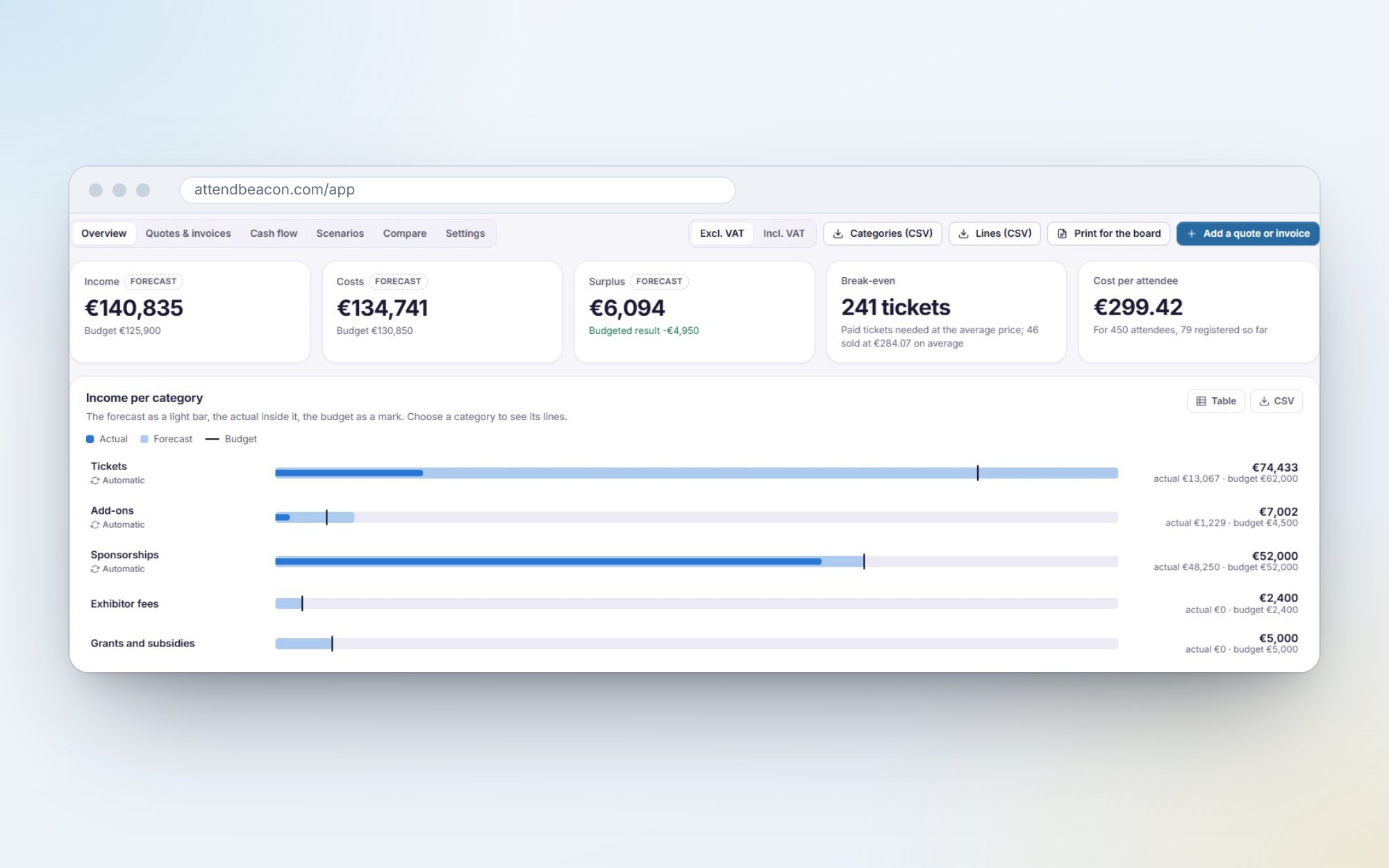
Will this event make or lose money? Now you know before the doors open.
- Ticket sales, add-ons, sponsors, hotels, catering, travel and payment fees are counted for you.
- Add your suppliers' quotes and invoices, with their due dates, and see the forecast, the break-even point in paid tickets, the cash flow and scenarios for fewer or more attendees.
- Compare with last year's edition, category by category, even one you brought over from another platform.
- Print it "for the board", or export it as CSV.
Integrations, now with real depth
Last time I listed integrations. This time I built them properly. This is my home turf, so I took my time.
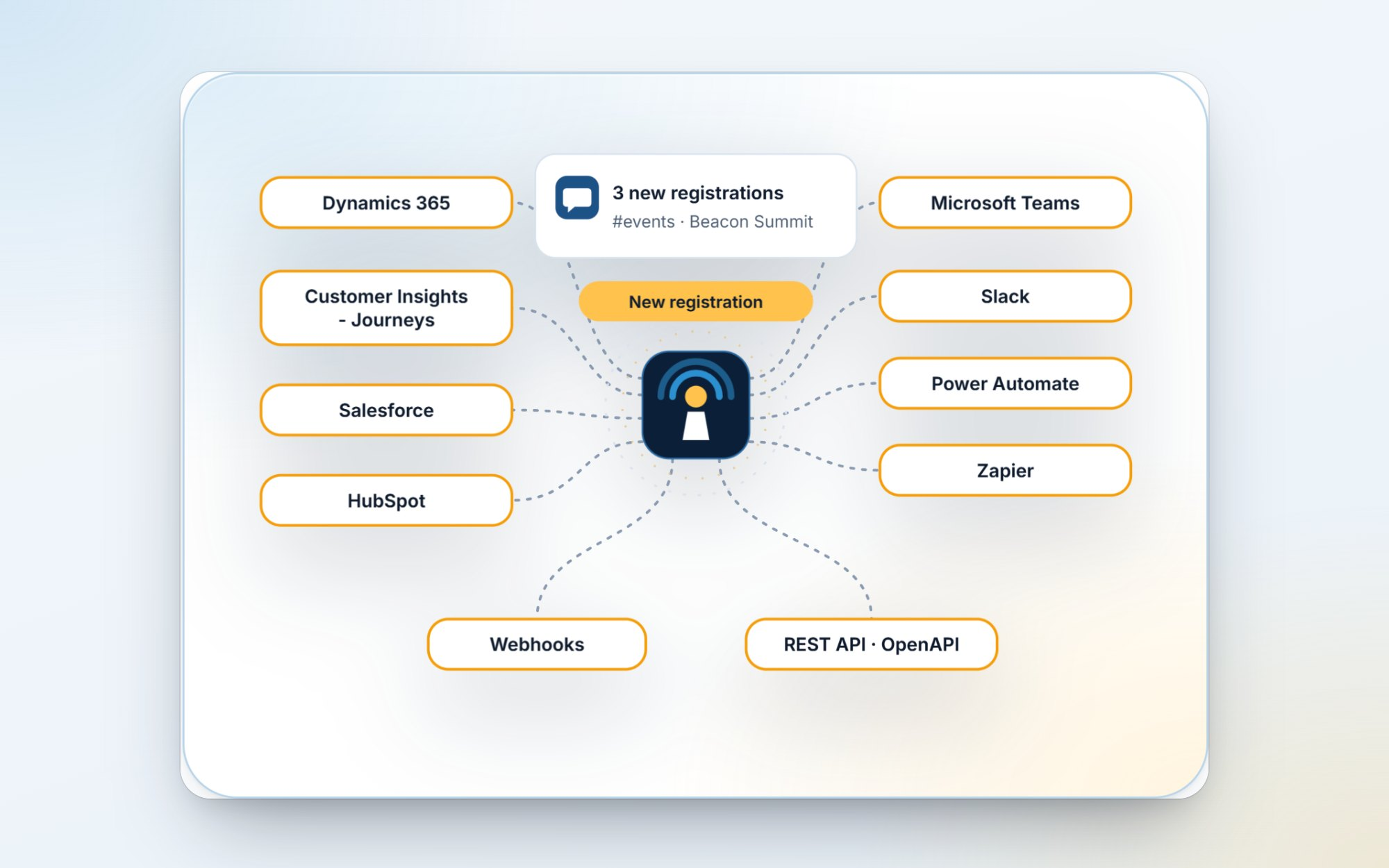
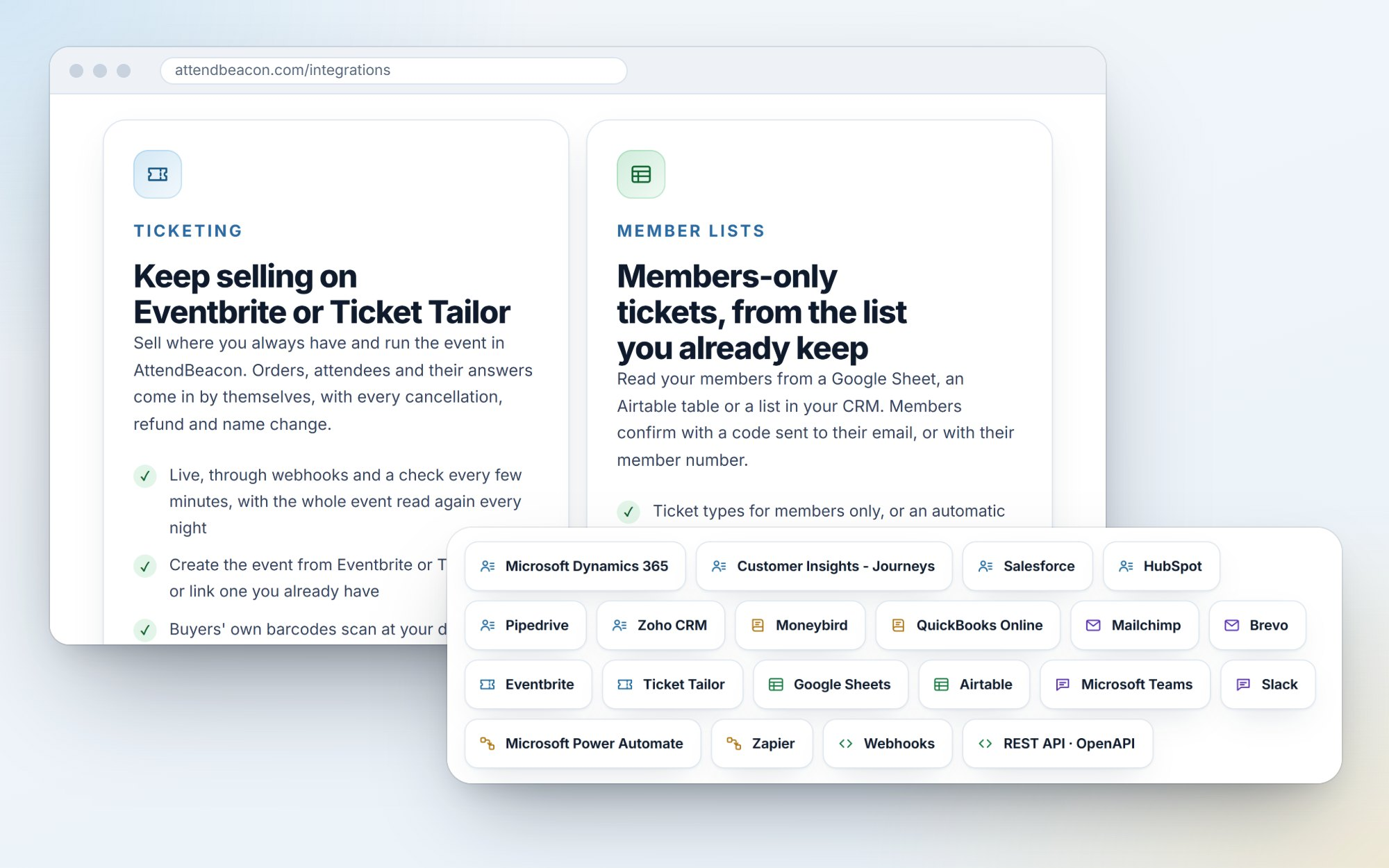
- CRM sync for Dynamics 365 and Customer Insights - Journeys, Salesforce and HubSpot, and now Pipedrive and Zoho CRM too: contacts, registrations, check-ins and consented sponsor leads. Matched and updated, never duplicated, with a log per record. In Pipedrive, sponsors' leads land in your Leads Inbox; Zoho CRM connects to whichever data centre your account lives in. And if a CRM ever stops accepting AttendBeacon's sign-in, your admins get an email instead of finding out a month later.
- Real-time journey triggers in Customer Insights - Journeys: follow up the moment somebody registers or walks in.
- Teams and Slack alerts: new registrations as a digest, nearly sold out, the doors opening, half your attendees in, and tomorrow's summary.
- A Power Automate custom connector and a Zapier app, on the same webhooks and API. Both are built; the marketplace listings are still pending.
And the systems around your event
Then I kept going. An event doesn't end at the CRM: the money goes to your books, the people go to your newsletter, and some of you sell tickets somewhere else or only let members in. So AttendBeacon now talks to those too.
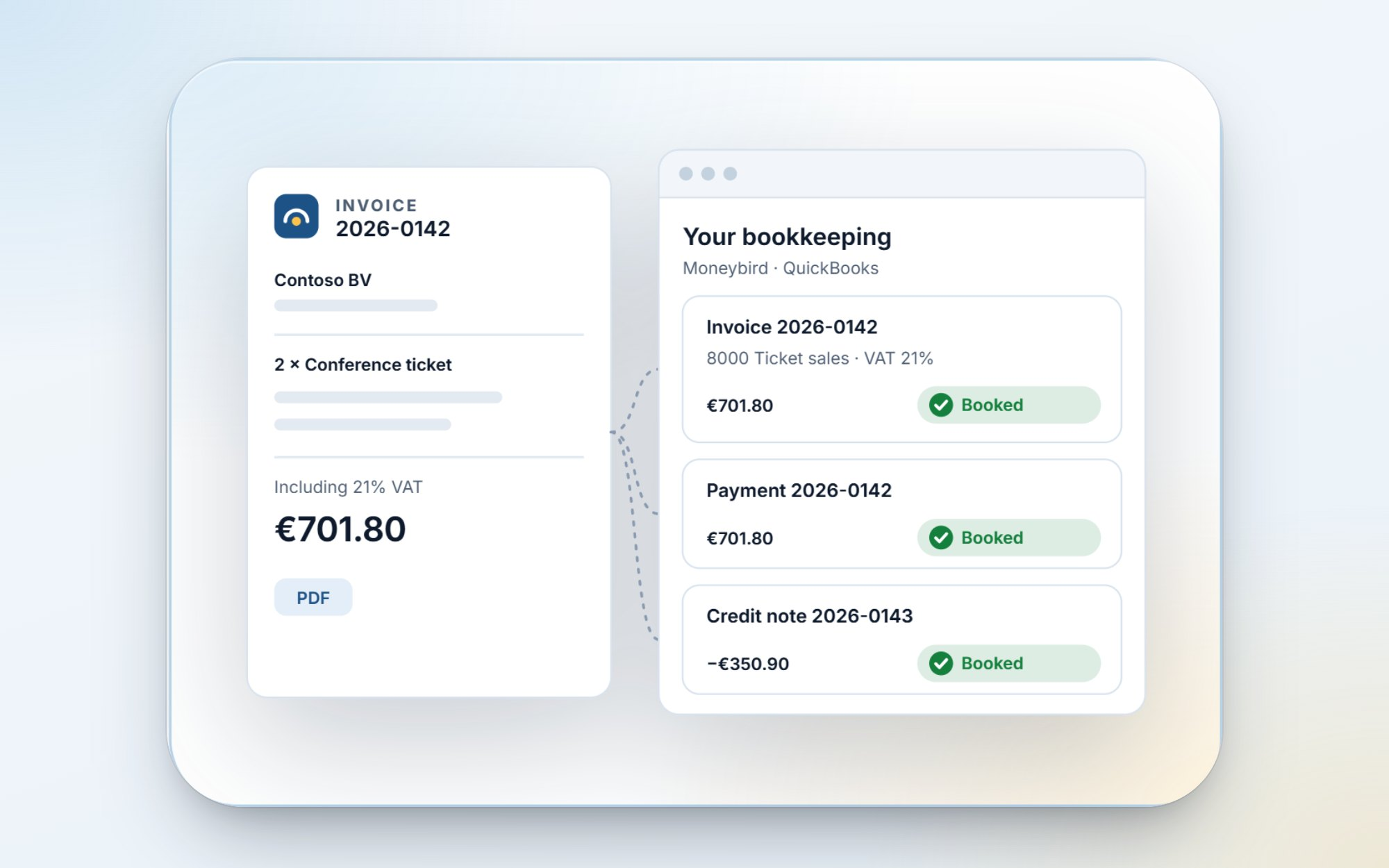
Your bookkeeping. Every invoice, credit note and payment can be booked in Moneybird or QuickBooks Online as it happens, with the right customer, VAT code and revenue account, and the invoice PDF attached. Auto-detect reads your chart of accounts and proposes the mapping; you check it and start. Every document shows whether it's booked, waiting or refused, and why, and Teams or Slack can tell you when something isn't booked. No more typing invoices over at the end of the quarter. (Fellow Dutch organisers: yes, Moneybird.)
Your email and mailing lists. Tickets, reminders and updates can come from your own domain, such as tickets@yourdomain.com: add it, publish the records shown, and choose Verify. And a Mailchimp audience or Brevo list stays in step with the attendees who ticked your marketing question, and only them. Somebody who unsubscribes is never added back, and somebody who deletes their data disappears from your list too.
Your ticket platform. Still selling on Eventbrite or Ticket Tailor? Keep doing that, and run the event in AttendBeacon. Orders, attendees and their answers come in by themselves, live, with every cancellation, refund and name change. The buyers' own barcodes scan at your door, offline too, and you choose what they get from AttendBeacon: nothing, an invitation to the event app, or an AttendBeacon ticket. Check-ins at your door can even go back to Ticket Tailor. Want to see it first? The demo workspace now has an event sold on Eventbrite, with its synced orders, a refund made there and the sync log.
Your member list. Read your members from a Google Sheet, an Airtable table or a list in your CRM, then keep ticket types for members only, or give members an automatic discount. Members confirm with a code sent to their email or with their member number. And the other way round: a live copy of an event's registrations in a Sheet or Airtable table, with only the columns you choose, updated within a minute.
I've tested all of these thoroughly, but not yet against your environment. Want to be among the first to connect a real one? Your Moneybird administration, an event on Eventbrite, your Dynamics 365? Let me know.
A developer platform, and your AI assistant
This is the newest piece, and the one I'm most curious about.
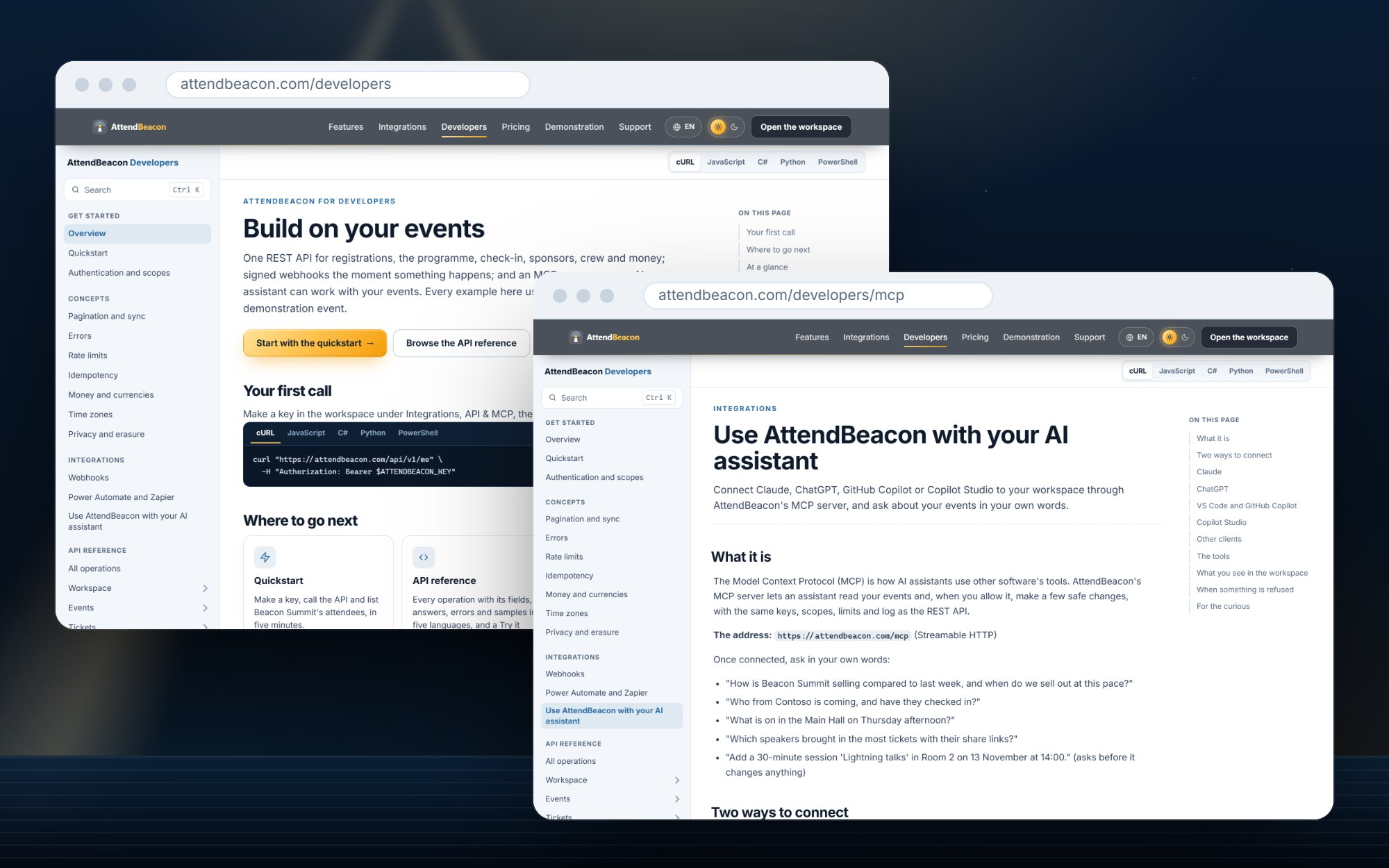
- The REST API v1: 66 operations across events, the programme, tickets and discount codes, orders, attendees, check-in, sponsors, crew, surveys, invoices, the budget, communities and webhooks. With safe retries and clear error codes.
- API keys with scopes per area, an expiry of your choice, and a log of every call they make, under Integrations › API & MCP.
- Docs at attendbeacon.com/developers: guides in all eleven languages and a complete API reference, with examples in cURL, JavaScript, C#, Python and PowerShell, and a Try it button.
- An MCP server, so Claude, ChatGPT, GitHub Copilot and Copilot Studio can work with your events. You sign in once (OAuth 2.1) and choose what the assistant may do. Then ask in your own words: "How is Beacon Summit selling compared to last week?" or "Which speakers brought in the most tickets with their share links?" It asks before it changes anything, and it uses the same keys, limits and log as the API.
And a pile of smaller things
- What's new: under Administration, every change to AttendBeacon by day, in your language, with a dot when there's something you haven't seen yet.
- Add-ons, bundles and automatic discounts: the workshop seat, the dinner, parking, each with its own VAT rate; group tiers and a loyalty discount, without a code.
- Refunds that follow through: AttendBeacon checks with Mollie or Stripe until the money is really back, then sends the credit note. And "Refund another way" for cash or a bank transfer.
- Venue maps with pins for rooms, stands, toilets and the coffee, and an exhibitor directory with stand numbers.
- Every language for everybody: a Finnish attendee at a Dutch-only event gets Finnish buttons and emails, and a note that the programme is in Dutch.
- Reports compare with last year's edition too, just like the budget.
- Tablet layouts for iPad and Android tablets, speaker photos that work offline, and clearer sign-in emails.
Watch the tour: 37 short videos
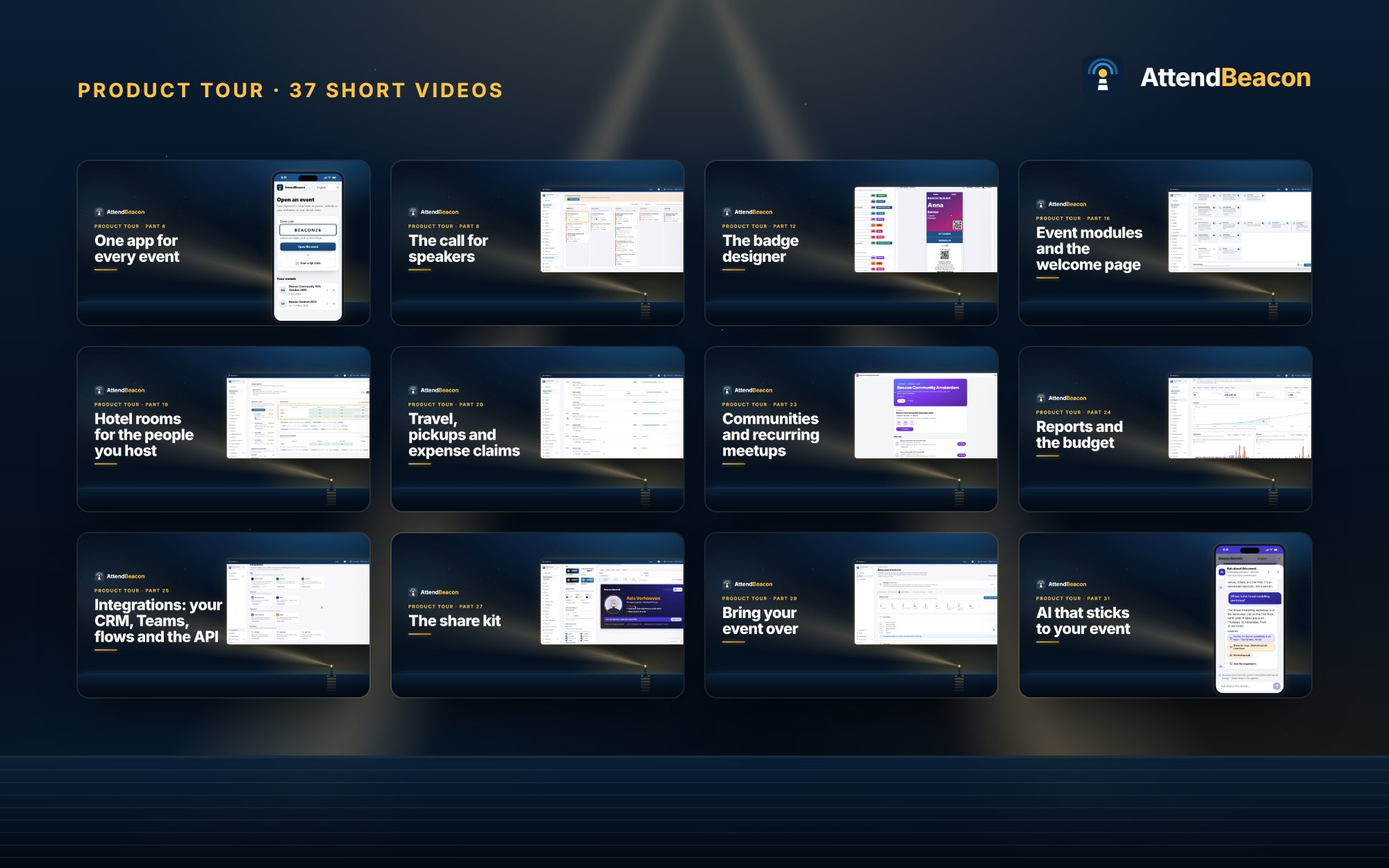
Reading about features only goes so far. So I made a product tour of 37 short videos, most under three minutes, from "Your first event in five minutes" to hotel rooms, the share kit and the budget, and the newest ones on your bookkeeping, selling on Eventbrite, email from your own domain, members-only tickets and the volunteer page. Each one shows the real thing in the demo event, with chapters and subtitles in all eleven languages.
The whole series is on YouTube. And because you shouldn't have to leave AttendBeacon to learn it, the same videos are inside the product: Help & support has a Videos tab, and the right video is one click away beside a section's help. They're on the website too, at attendbeacon.com/videos. No YouTube player there, and no trackers.
👉 Watch the product tour on YouTube
Privacy: delete my data
Attendees can delete their data themselves in the app, for one event or all of them, confirmed with a code sent to their email address. Tickets are anonymised; profiles, connections, chats and photos are deleted. Invoices stay, because the tax office insists. And now that AttendBeacon talks to more systems, the deletion reaches them too: the live copies in a Sheet or Airtable, and your Mailchimp or Brevo list. Everything still runs in the EU, with no trackers and no advertising cookies.
Behind the scenes, sign-in codes, webhooks and member checks got another round of hardening against guessing and misuse. And for the paperwork lovers: the website now has proper Terms of service, in all eleven languages.
Try it
Meetups, user groups and other events where every ticket is free are still free, whatever their size. Every other event is free up to 1,000 participants, with every module included. Above that, it's a one-off licence of €1,000 per event. No add-ons, nothing held back.
Want to see it as an attendee? Open attendbeacon.com/e/ in your browser and enter BEACON26 to look around the demo event. The native apps for iPhone, iPad, Apple Watch and Android are on their way to the stores, and the same code will work there. Or start with the videos: the product tour on YouTube
Got an Android phone and can't wait? Send me a message and I'll add you as a tester.
And keep the feedback coming. Every "Small thing, but…" makes this better.
See you at the next event! 🎉
Comments