
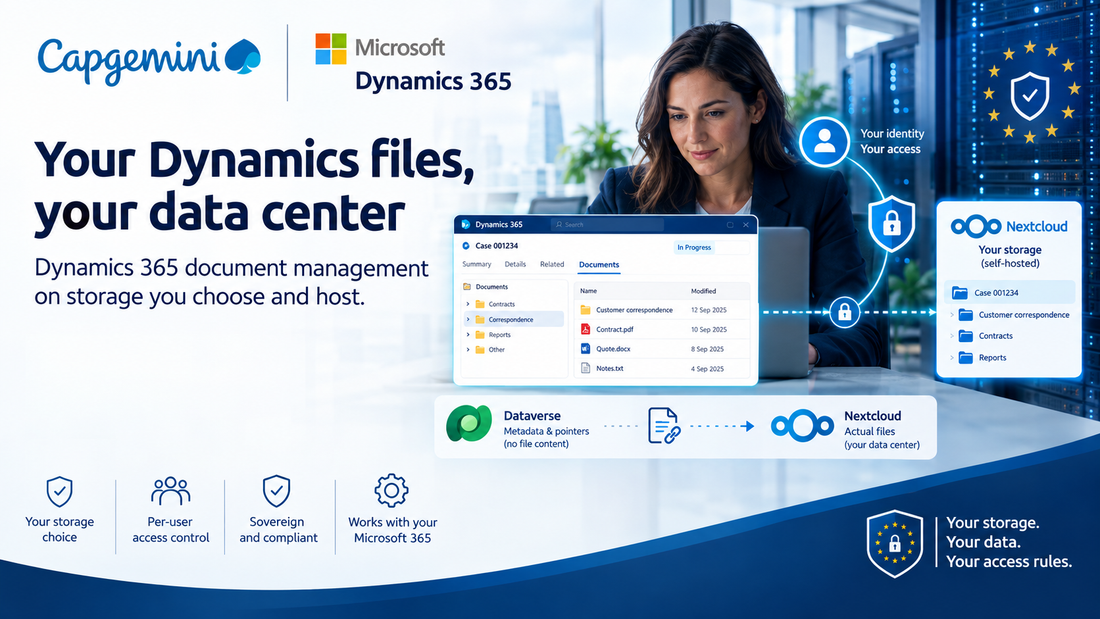
Dynamics 365 document management on storage our clients choose and host, with each user's access enforced by that storage rather than by the app in front of it.
Why we built this
Sovereignty has stopped being a talking point. Over the past year our clients have moved from asking whether data residency matters to writing it into requirements, and the requirement that causes the most trouble is also the simplest. The documents have to stay somewhere specific.
Dynamics 365 has one answer for document management, and that answer is SharePoint Online. For most clients it is the right one. For a growing number it is the single thing standing between them and a signed project.
A hospital whose patient correspondence cannot leave the building. A supplier whose contract names the data center. A municipality with a procurement position on vendor concentration. A bank that already runs a perfectly good file platform and has no appetite for a second one beside it, with its own lifecycle, its own permissions and its own retention rules.
We kept having that conversation, and we kept watching teams reach for workarounds that were worse than the problem. A shared service account fetching files on everyone's behalf turns "who can see this document" into a question the file platform can no longer answer, because every request looks like the same robot. A nightly sync gives you two copies of everything and two places to get retention wrong. A link field on the form is a link field on the form.
So we built the thing we kept wishing existed.
What it buys
The files live where you put them. Nextcloud runs on your own hardware, in a national or European cloud, or at a hosting provider bound by the law you care about. Nothing copies document content into a platform you did not choose. If the requirement is that files never leave a particular building, that becomes a deployment decision rather than a feature request.
Dataverse holds pointers, not content. A path, an identifier, a status. The document itself is never written to Dataverse, never indexed by it, never replicated with it.
The storage is open source and self-hostable. Nextcloud can be audited, inspected and run without a commercial relationship with any hyperscaler. Where a sovereignty position includes reversibility, meaning the ability to leave, that is a very different conversation from an export API.
You keep the productivity platform. This is not an argument for abandoning Microsoft 365. The CRM, the identity, the workflow and the day to day experience all stay where they are. Only the document bytes move, and only for the tables where it matters, because it is configured per table. Regulated records can sit on your own storage while everything else carries on as it is.
What it looks like
Every record gets a folder, created the moment the record is. People open a Documents tab on the form and work with the files there. Upload, subfolders, preview, search. No second application to learn, and no reason to leave Dynamics.
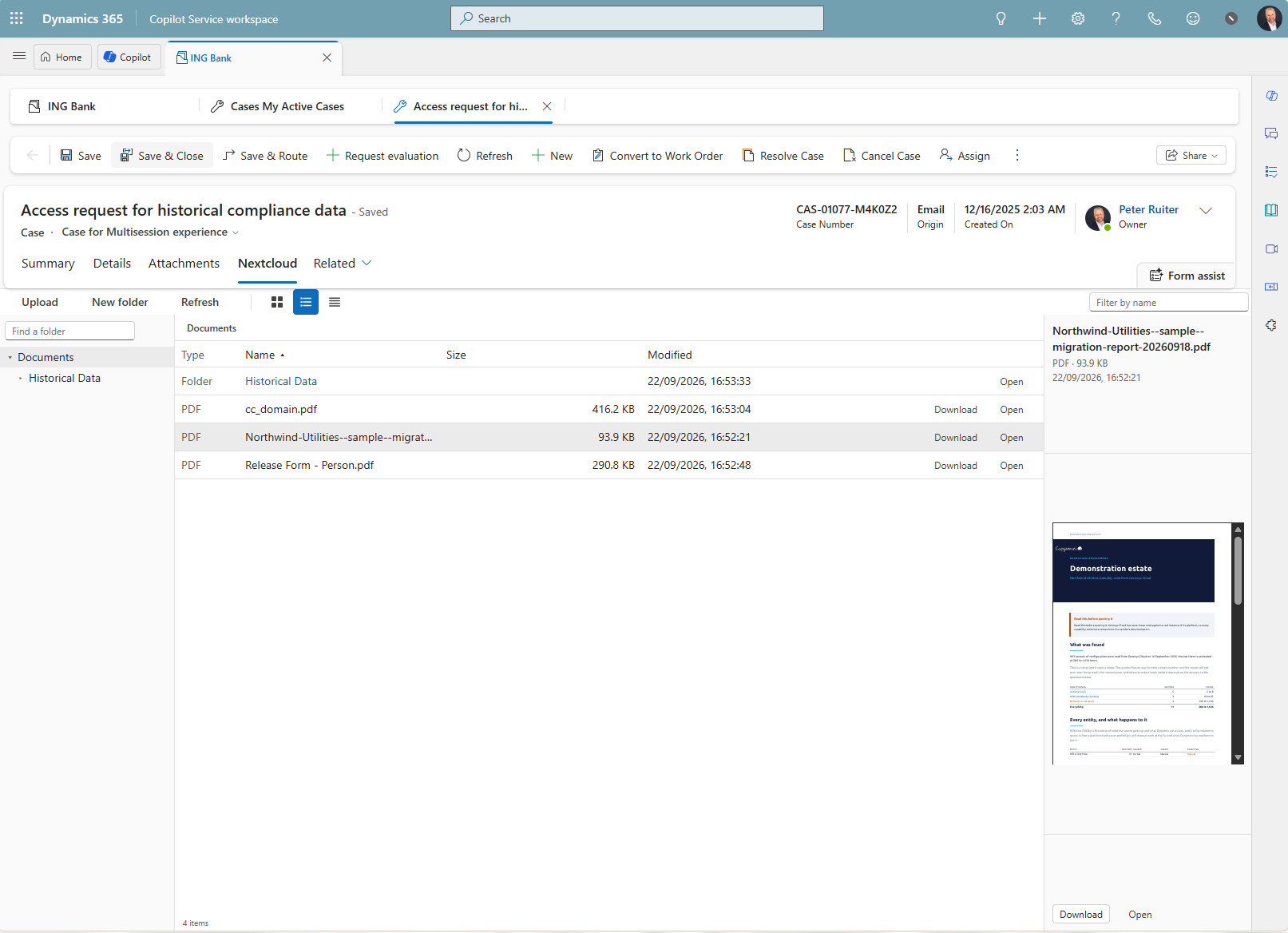
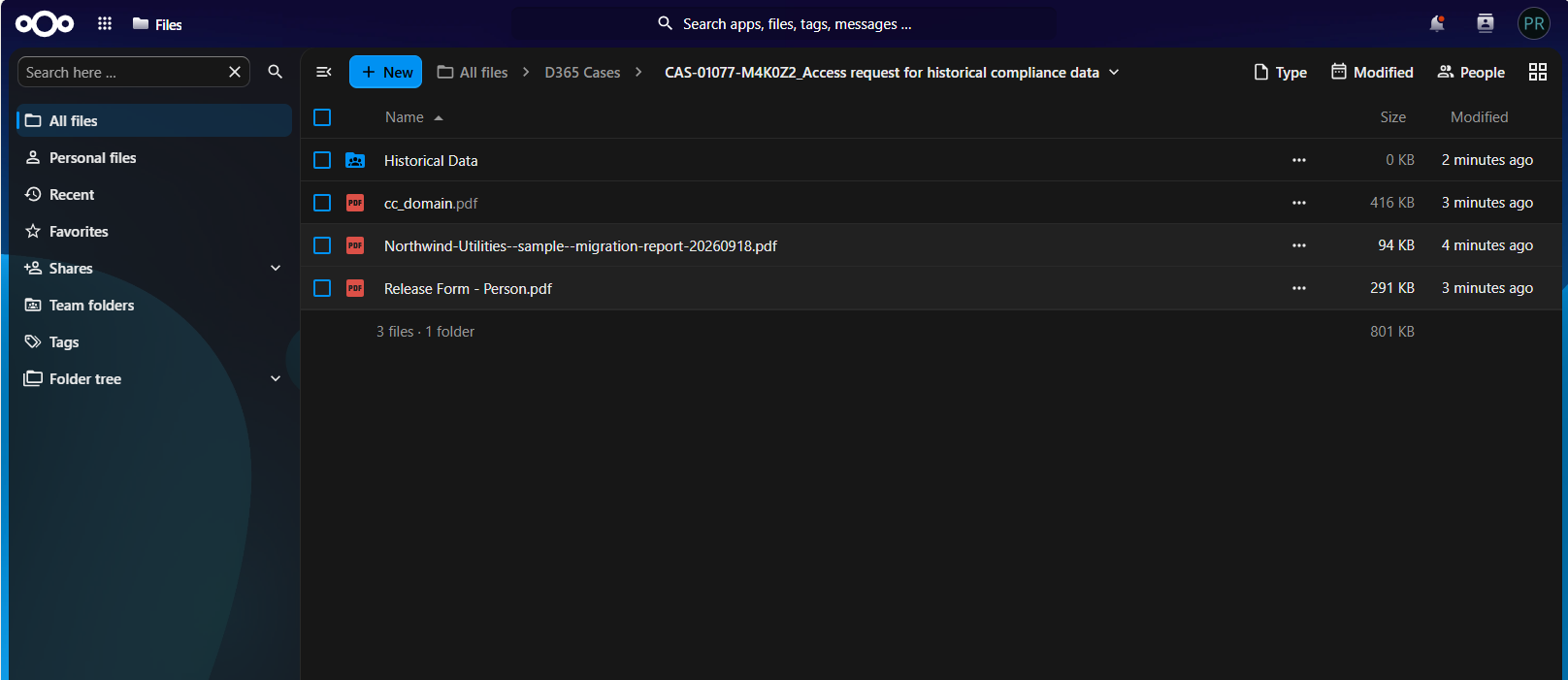
The folders live on Nextcloud: your own hardware, a European cloud, a specific room in a specific building. Dataverse stores a pointer and never the file.
There are three moving parts.
on the form"] -->|user token| BR["Broker API
.NET, in a container"]; BR -->|"as the user"| NC["Nextcloud
WebDAV"]; BR -->|"as a service account"| ACL["Nextcloud
OCS + ACL"]; DV["Dataverse
plug-in"] -->|managed identity| BR;
The PCF control is the tab on the form. It signs the user in with MSAL and talks to nothing except the broker.
The broker is a small .NET API. It holds the credentials, checks Dataverse on every request, and is the only thing that ever speaks to storage. It ships as a container, which turns out to matter: you can run it in your own tenant, your own region, or on a box sitting next to the storage.
The plug-in creates the folder when the record is created. It authenticates with a managed identity, so there are no secrets in Dataverse at all.
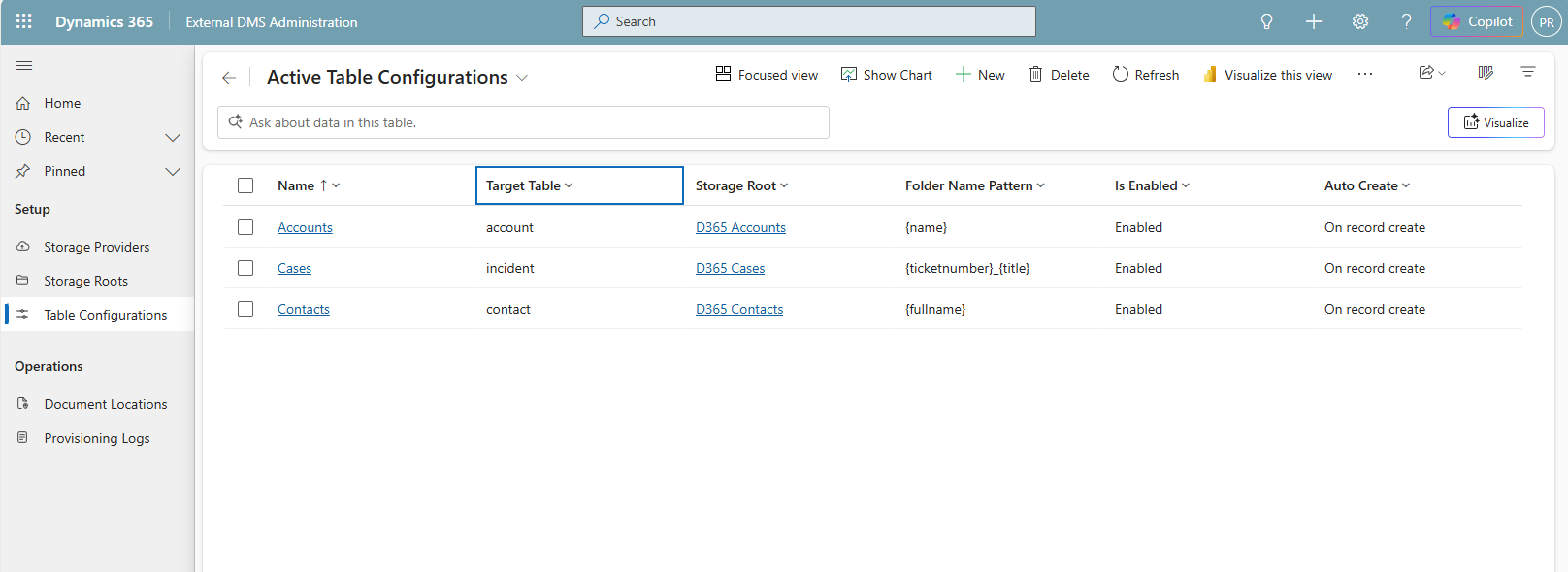
Which tables have folders, what those folders are called and where they live are all rows in a configuration table rather than a redeployment. A pattern like {ticketnumber}_{title} produces CAS-01181-W0W0C9_WW aanvraag. Any column works, including your own.
Security is the whole point
There is one test worth applying to any product that connects Dynamics to a file platform.
Sign in to the file platform directly, as yourself, and bypass the application completely. What can you see?
With this integration: exactly the folders you would see inside Dynamics. Nothing more.
For most integrations the honest answer is everything, or nothing. They sign in as one service account, so the file platform has no idea who you are. Every request looks like the same robot. Access control lives in the application, and the application is optional.
That is the difference worth understanding, and it comes from three layers that all have to agree before a single byte moves.
1. The user's own identity reaches the storage
The control signs the user in with their Microsoft account and hands that token to the broker. The broker exchanges it on behalf of that user for a token for Nextcloud.
What arrives at the storage is a token for the human, not for a robot acting on their behalf. Nextcloud's own permission model then applies in full, to a request it can actually attribute to a person.
2. Dataverse decides
On every request the broker asks Dataverse a simple question: can this user read this record? Then it writes that answer into the storage permissions.
Access granted in Dynamics becomes access in Nextcloud. Ownership, teams, sharing, whatever rules you already run, all of it carries across. Access removed is removed. Nothing else ever writes those rules, so storage permissions cannot drift wider than Dataverse allows.
3. The storage enforces it
This is where Nextcloud's groupfolders Advanced ACL earns its place. Every record folder denies the user group outright, then grants exactly the people who should have it.
team folder root    group dms-users   read only        traverse, see only granted children
record folder       group dms-users   no permissions   denied, and therefore hidden
                    user <entra oid>  read/write       written by the broker, never by hand
Two details in there are worth stealing even if you never touch any of this.
Denied folders return 404, not 403. A file listing cannot be used to discover that a record exists. That matters when folders are named after case numbers and customer names, because forbidden quietly confirms the thing is there.
Share permission is withheld. Users cannot widen access to a record folder from inside Nextcloud, because the permission that would let them is never granted in the first place.
The bit SharePoint does not do
Every integration that mirrors permissions has the same hole, including the native SharePoint one. Permissions are written when someone opens a folder. If a user loses access in Dynamics and simply never goes back, the storage is never told. The grant sits there.
In native SharePoint document management there is nothing that goes back and checks. Permissions drift, quietly, and the only way to find out is to look.
So we built a reconciliation sweep. It walks the folders, reads who is actually granted on each one, and asks Dataverse whether every one of those people still belongs. Anyone who does not is removed.
It stays cheap for a reason worth knowing. A record folder only gets a user rule when somebody opens it, so the typical folder has nothing to reconcile: one read, no Dataverse calls, done. Runs are bounded and ordered oldest first, so consecutive runs cover an entire environment without anyone tracking where the last one finished. Run it often and small, on a schedule, and permissions cannot quietly rot.
One distinction in there took a second pass to get right, and it is the kind of thing that separates a demo from something you hand to a bank. A user who no longer exists in Dataverse gets revoked, because someone who has left the company is precisely the stale grant this exists to remove. But anything else that prevents an answer, whether that is metadata, the network, or Dataverse having a moment, revokes nothing. That is a failure to establish access rather than a finding that there is none. Get that backwards and a passing outage costs people the files they are entitled to.
Let's talk
Folders are created the moment records are. Files move both ways as the signed in user. The tab runs on cases, accounts and contacts, on a desktop and on a phone. Every install step is a scripted, repeatable command, including one that configures an existing Nextcloud over HTTPS with nothing but an admin account, because the organizations most likely to want this are the least likely to hand anyone a shell on their file server.
If sovereignty is on your agenda, or you are walking into the meeting where somebody asks where the documents will actually live, I would like to hear about it. Every client conversation so far has sharpened how we think about this, and yours probably will too.
Peter Ruiter, Capgemini. Give me a call, or email me and we will set something up.
Comments